

We are reaching out to share exciting updates related to Domain Scan Targets in Zanshin, designed to enhance transparency, control, and overall user experience.
Why is this changing?
We are continuously working to improve your experience in Zanshin. These updates are designed to enhance visibility, accuracy, and user control over Domain Scan Targets, aligning our platform with industry best practices.
What is changing?
New modes for Domain Scan Targets
Changes to remove a Domain Scan Target
New modes for Domain Scan Targets
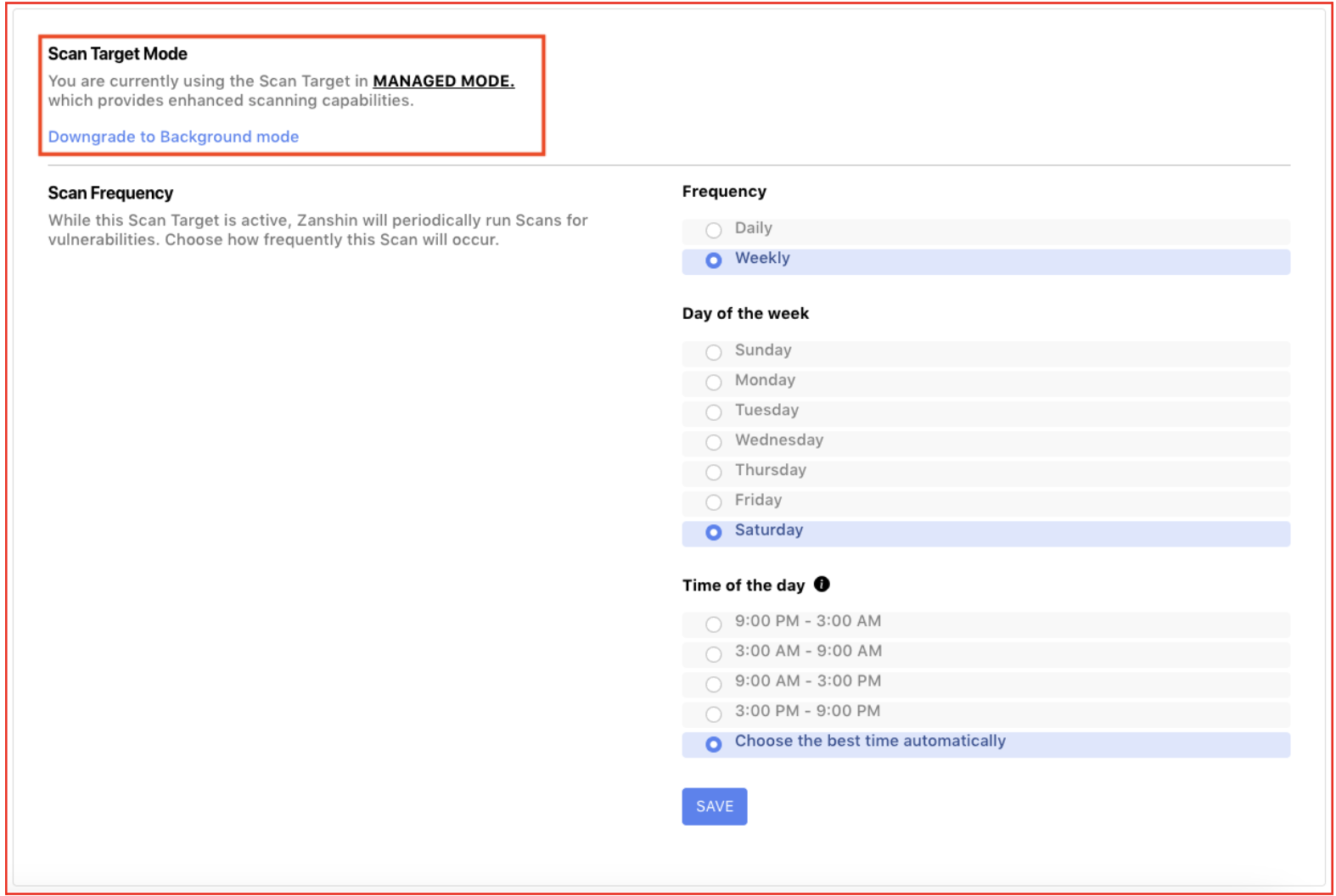
We have introduced two different modes for Domain Scan Targets. This information is shown on the Domain Scan Targets Details Page, under the Settings tab:
- Managed Mode (Recommended)
- Provides deeper insights and uncovers more complex issues.Offers higher accuracy in Scan Target results.Allows control over scan frequency.Ability to initiate scans at any time.
- Background Mode
- Provides a broad overview focusing on less resource-intensive checks.Scan Frequency options are disabled in this mode.
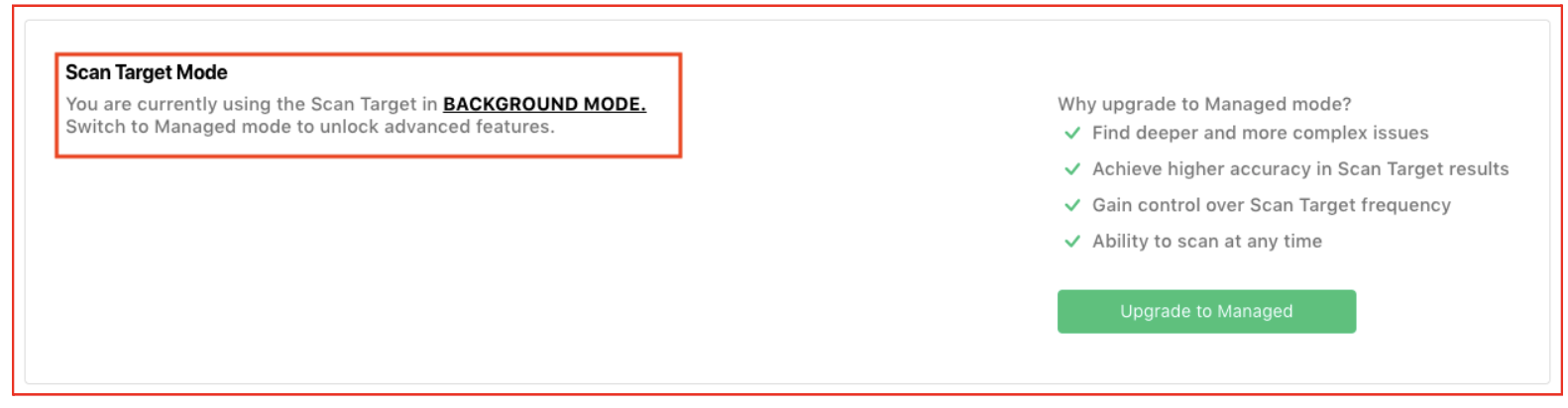
Currently, all existing Domain Scan Targets are set to Managed mode. While you can switch from Managed mode to Background mode at any time, we strongly recommend keeping them in Managed mode for the most comprehensive and accurate monitoring.
Newly created Domain Scan Targets are initially set to Background mode. To enable Managed mode, we must validate the domain to confirm that your organization has control over it. This validation process is essential to verify domain ownership and ensure accurate monitoring.
Changes to remove Domain Scan Targets
As previously communicated, visibility for Domain Scan Targets has changed.
Since the findings related to Domain Scan Targets are based on public data, they will now be visible to all licensed Organizations in Zanshin. This will provide a more streamlined way to showcase your domain’s security performance and compliance, and bring Zanshin in line with widespread industry practice. This allows your Organization to build trust and demonstrate security best practices to your customers and partners.
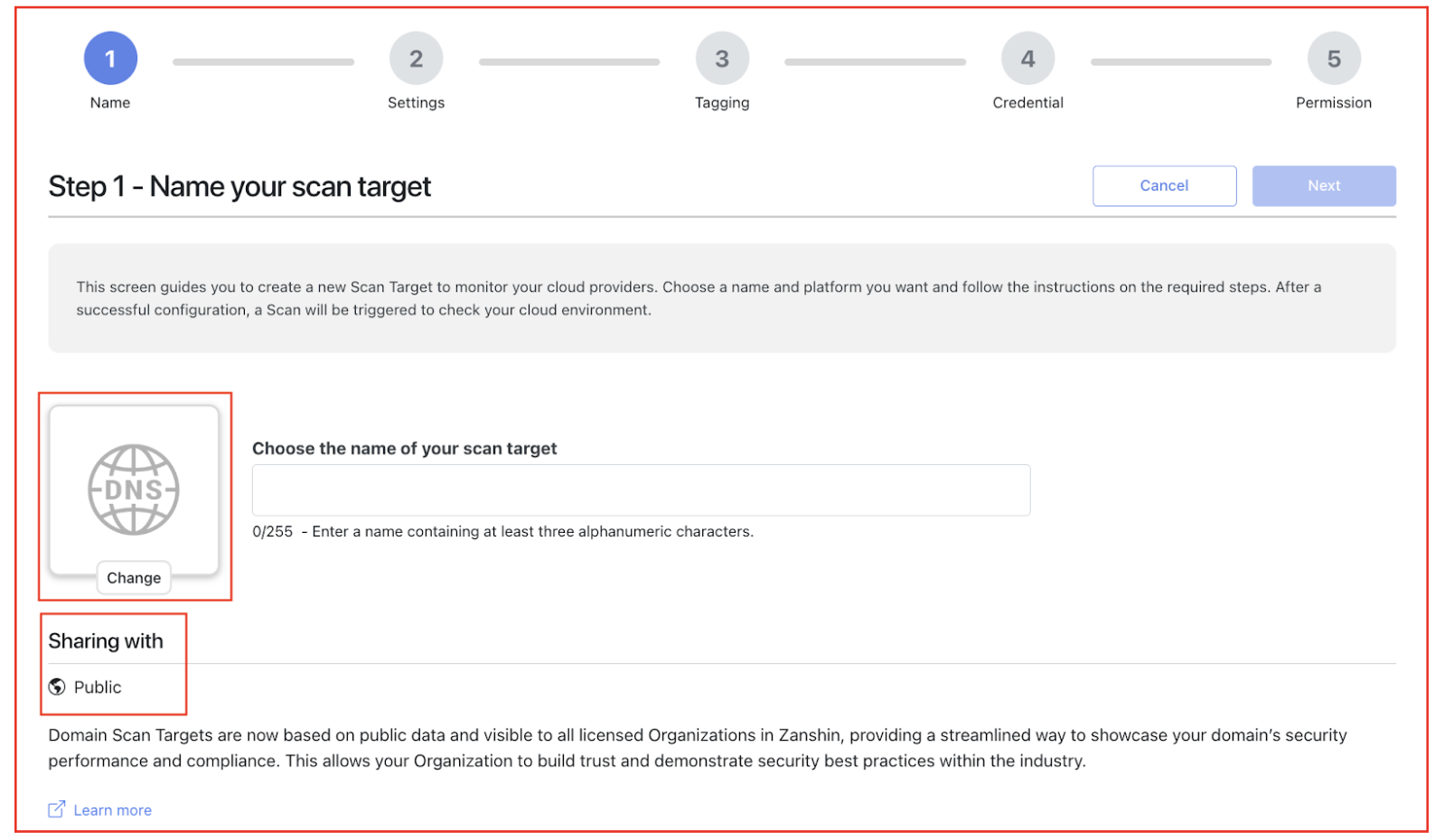
In alignment with the visibility of Domain Scan Targets, now users can no longer directly remove them. Instead, users can request to remove them. This request will be handled by our Customer Success Team, who will evaluate the case and communicate the outcome.
To facilitate this process, a new option “Why is this here?” is now available in the Scan Target list, for Domain Scan Targets.
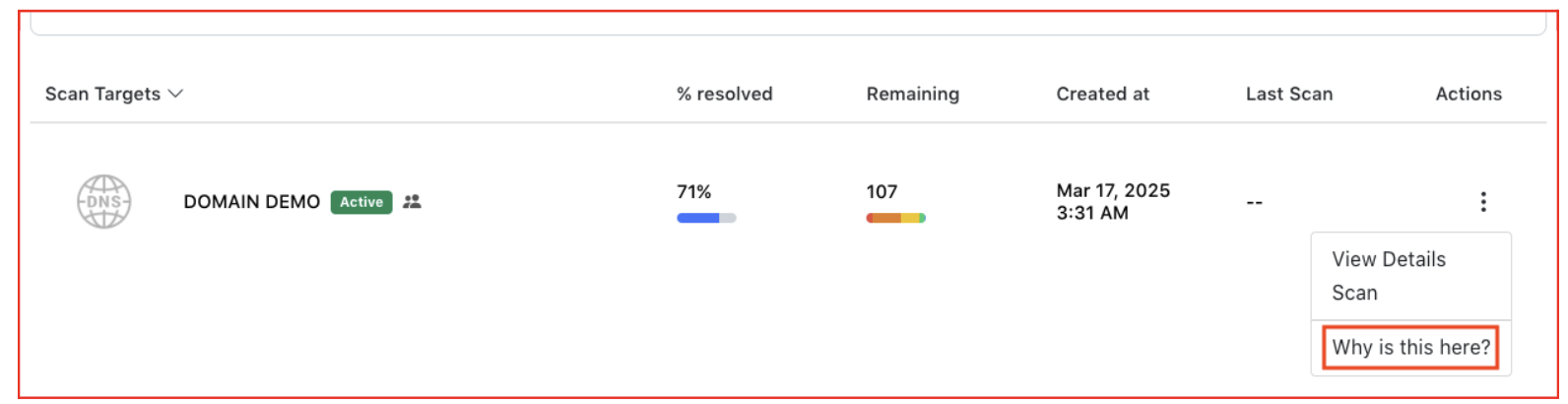
Selecting this option will provide an explanation about why the Domain Scan Target is listed and offer a way to contact our Customer Success Team if you wish to proceed with a removal request:
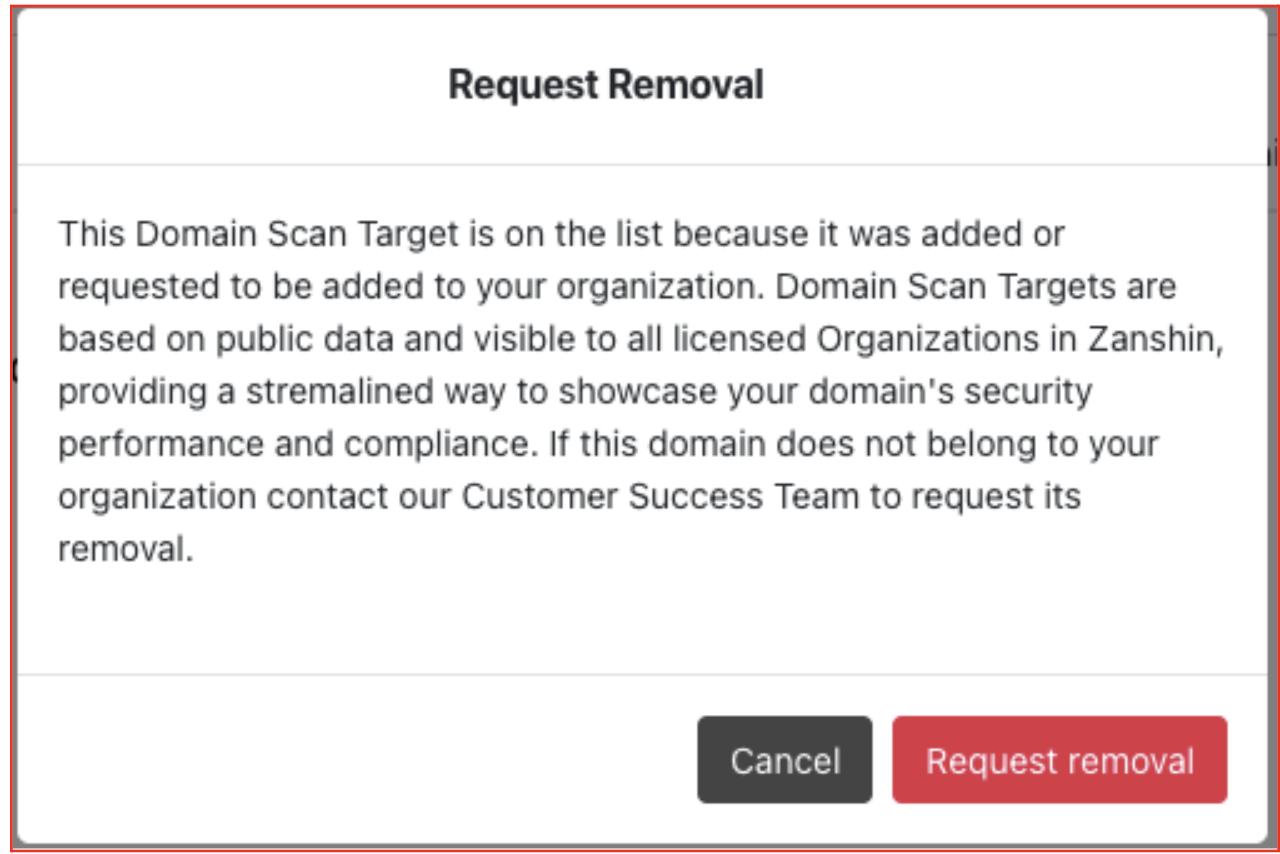
Users can then proceed to submit a request to remove the Domain Scan Target:
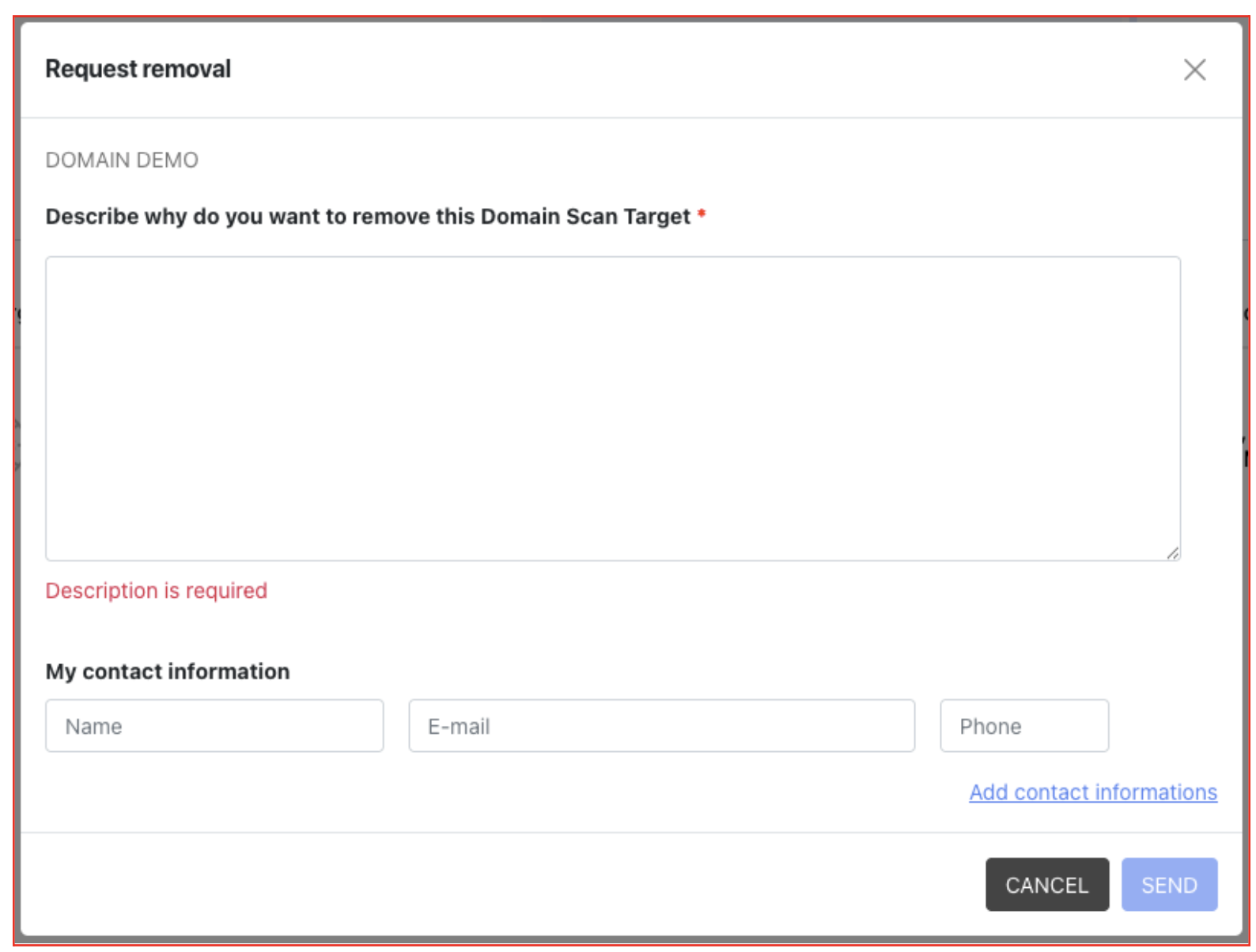
This option is also available on the Domain Scan Targets Details Page, under the Settings tab:
