

Exciting new features that will significantly enhance our product's capabilities have been released:
- Scan Targets sharing settings
- Domain Scan Targets visibility
Crowdstrike Falcon and Microsoft Defender for Endpoint scanning support
New filters in Dashboards and Alerts Lists
Zanshin rule detection improvements
Navigation to Alerts is now restored
Scan Targets sharing settings
Now, each third-party organization (Following Organization) will be able to define which Scan Targets they share with which first-party organization (Follower Organization). This applies in several places in Zanshin:
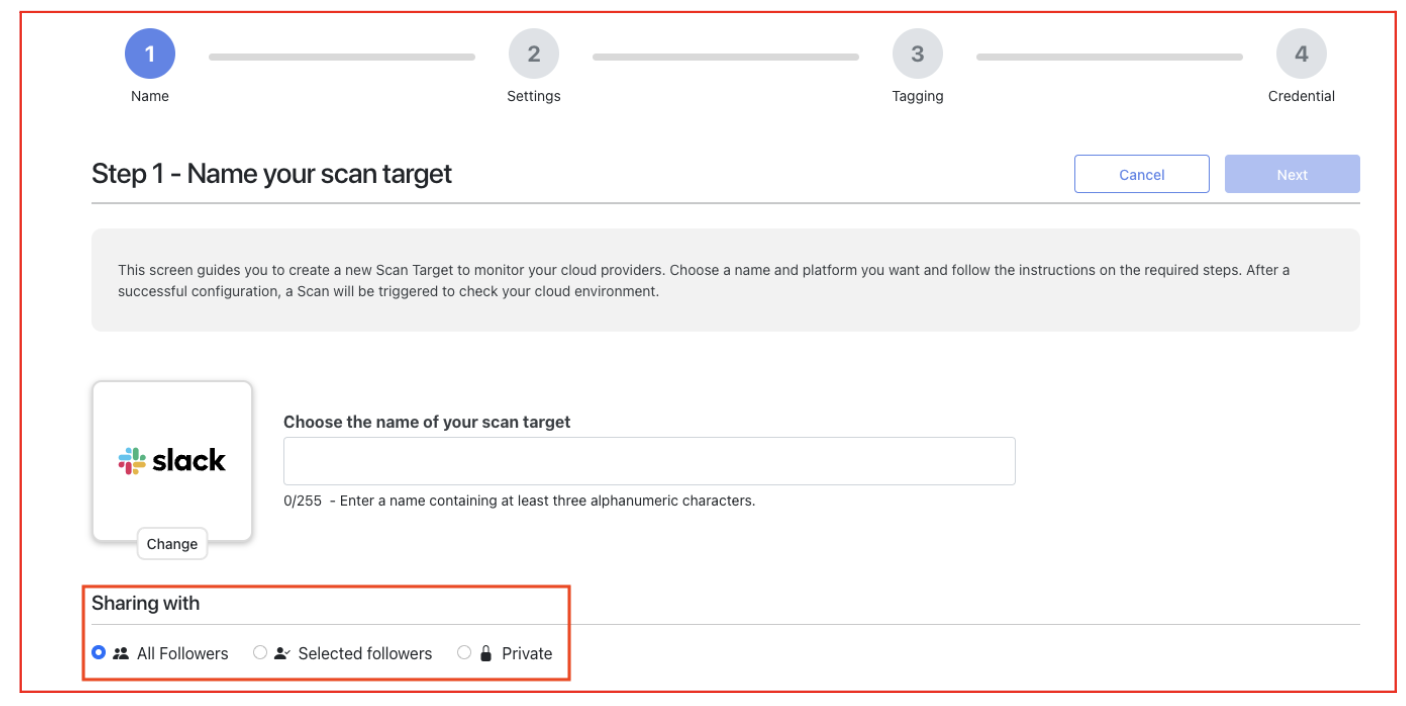
- During the creation of a new Scan Target, a sharing configuration allows to select the appropriate sharing type:
- All Followers: The Scan Target being created will be visible to all Follower Organizations.Selected followers: Only some of the Follower Organizations will have visibility on the Scan Target being created.Private: There is no Follower Organization with visibility on the Scan Target being created.
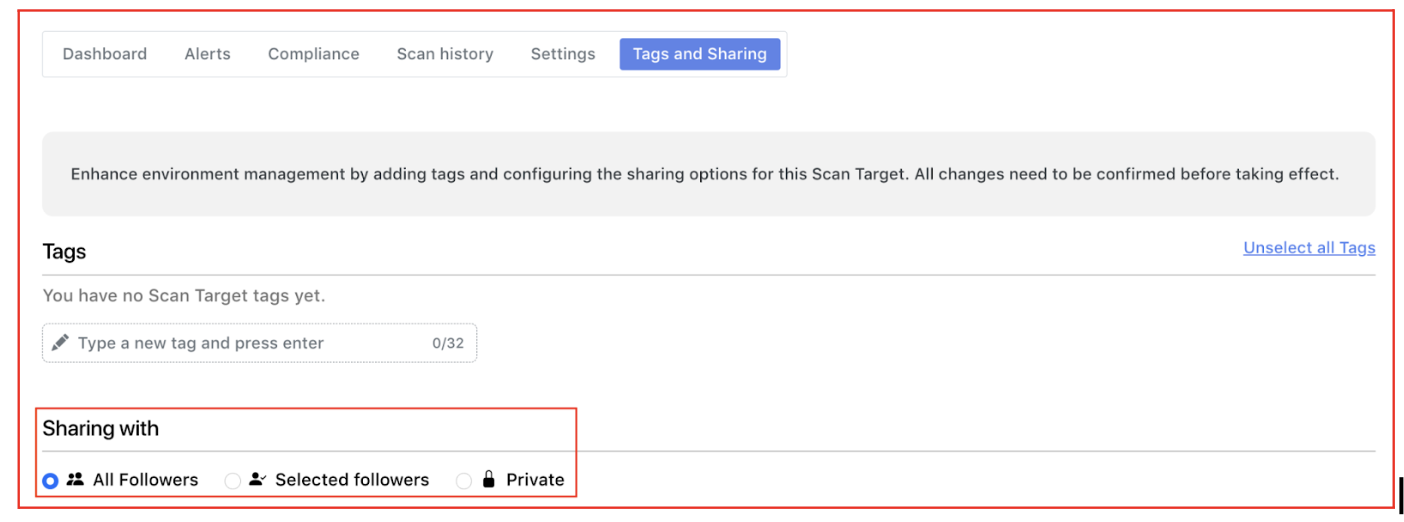
On the Scan Target details page, the Following Organization will be able to see the Tab “Tags and Sharing”, in order to view or edit the sharing type and the list of Follower Organizations that will have visibility on the corresponding Scan Target.
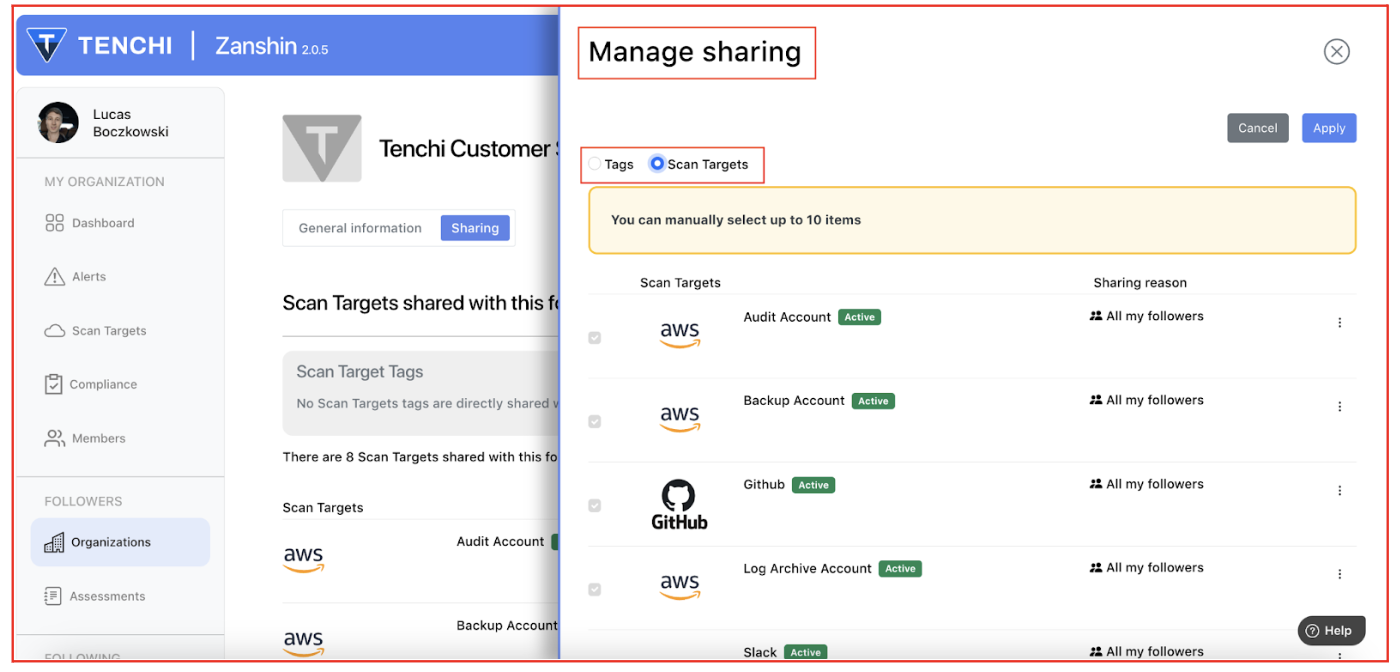
In the Follower Details page, the Following Organization is now able to select (by Scan Target Tag and Scan Target Name) the Scan Targets needed to be shared with the corresponding Follower Organization.
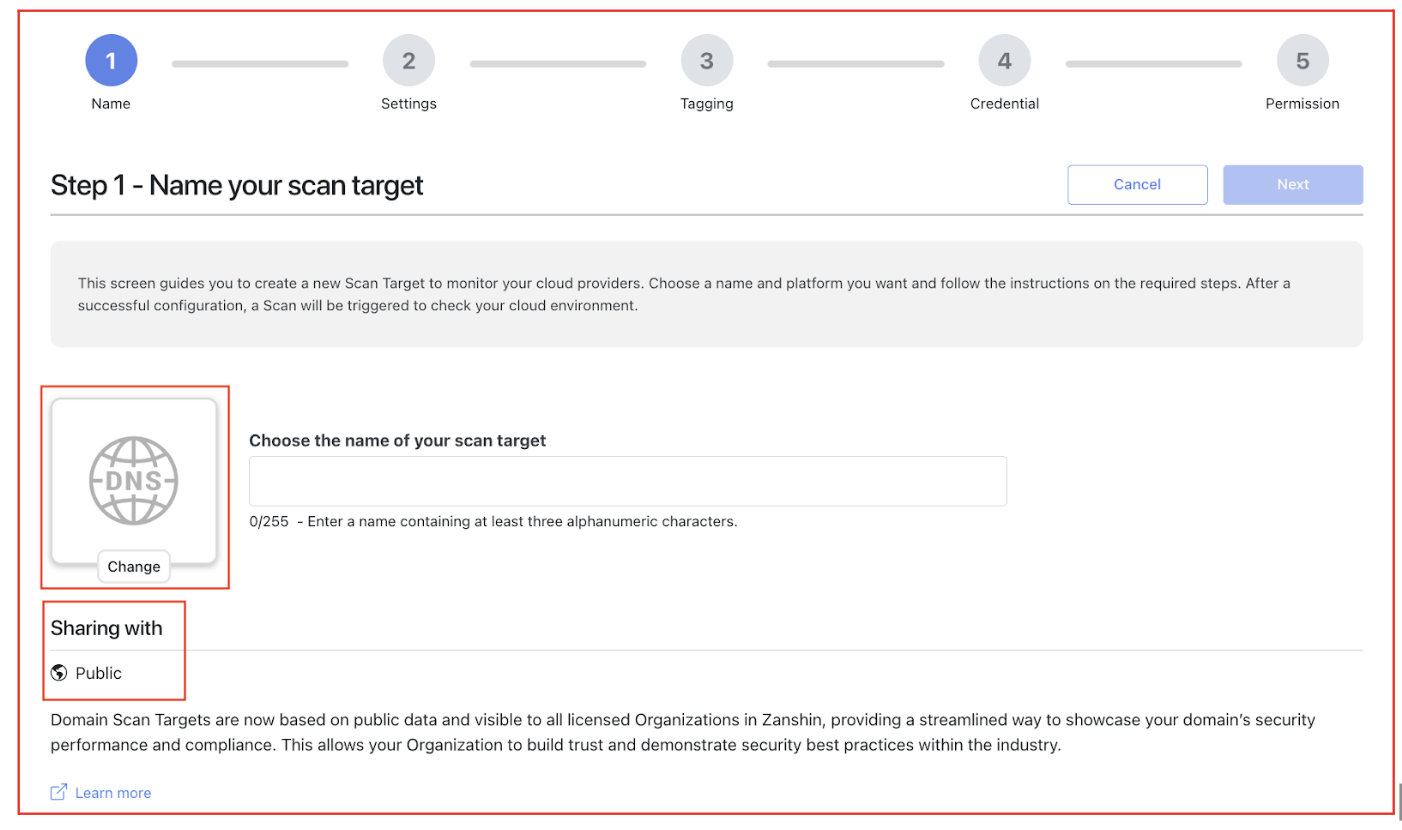
Domain Scan Targets visibility
Since the findings related to Domain Scan Targets are based on public data, they will now be visible to all licensed Organizations in Zanshin. This will provide a more streamlined way to showcase your domain’s security performance and compliance, and bring Zanshin in line with widespread industry practice. This allows your Organization to build trust and demonstrate security best practices to your customers and partners.
Crowdstrike Falcon and Microsoft Defender for Endpoint scanning support
Zanshin now supports scanning two additional platform types:
Crowdstrike Falcon: A cybersecurity platform that provides cloud-native endpoint protection, threat intelligence, and incident response services. You can find this Scan Target Type under the new section Security Tools in the Scan Targets Dashboard.
Microsoft Defender for Endpoint: An enterprise-grade endpoint security solution and a key component of the Microsoft Security suite. In Zanshin, the predefined security checks for Microsoft Defender are seamlessly executed as part of Microsoft 365 scans. This integration operates transparently, requiring no additional action from the user.
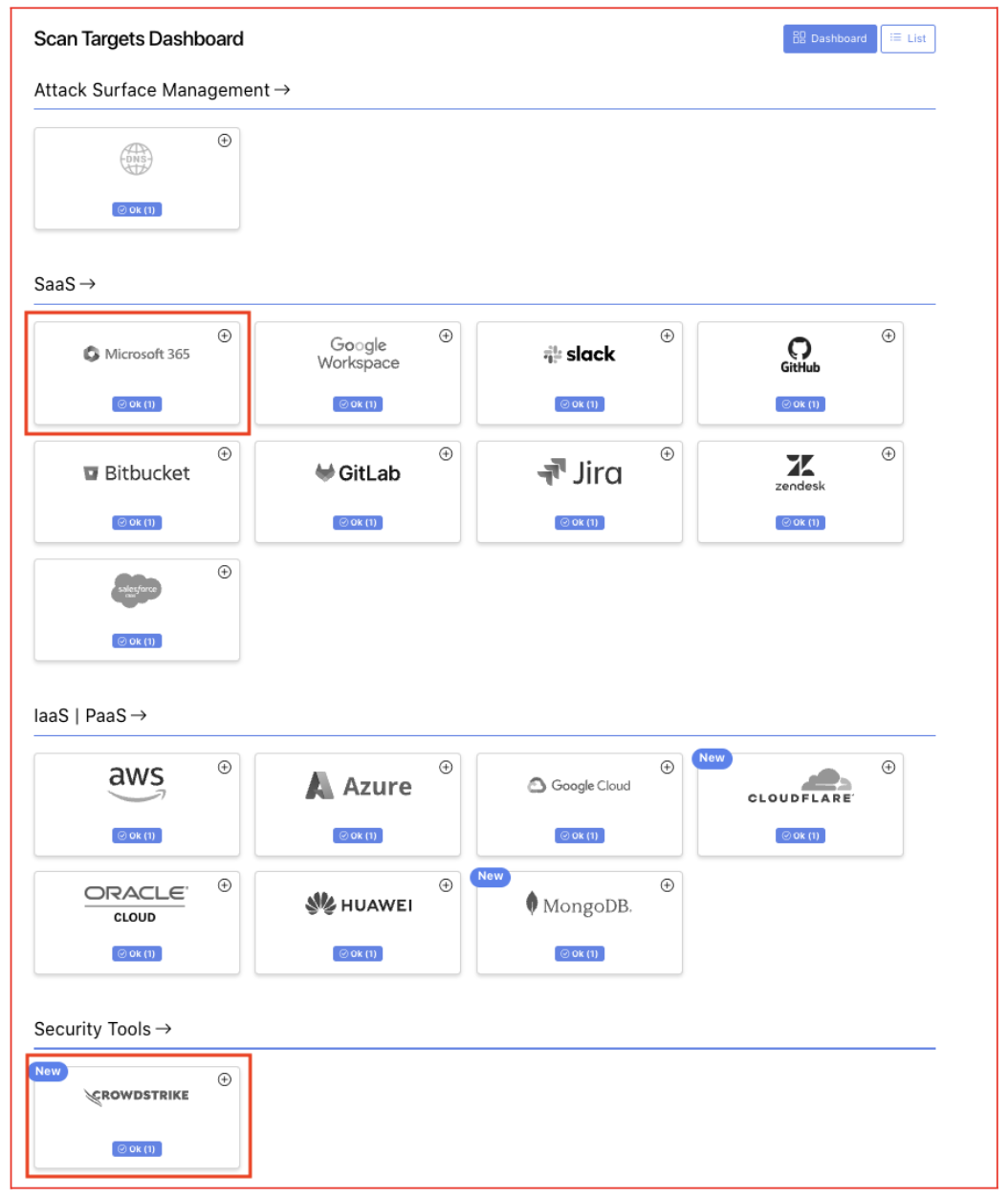
As usual, Zanshin will scan these platforms without ever having access to your sensitive data. We simply ask for the minimal set of permissions to review security-relevant settings to ensure you stay as safe as possible.
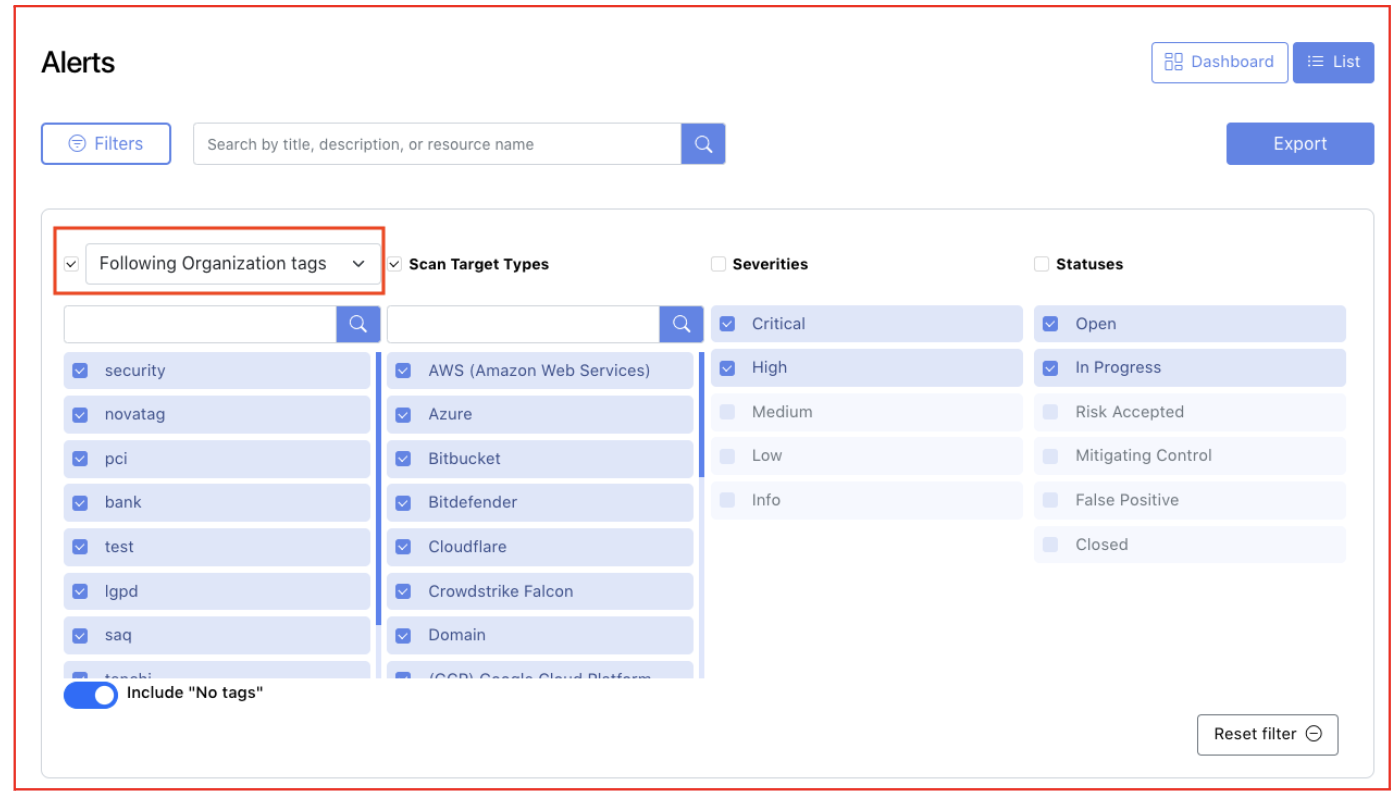
New filters available in Dashboard and Alerts lists
New filtering options were introduced in Zanshin to help you quickly find the most relevant information in your dashboards and alerts lists. These enhancements will provide greater control and efficiency when reviewing security data.
- You can filter information by Scan Target Tags or Scan Target names (up to 10 items), in:
- My Organization Dashboard
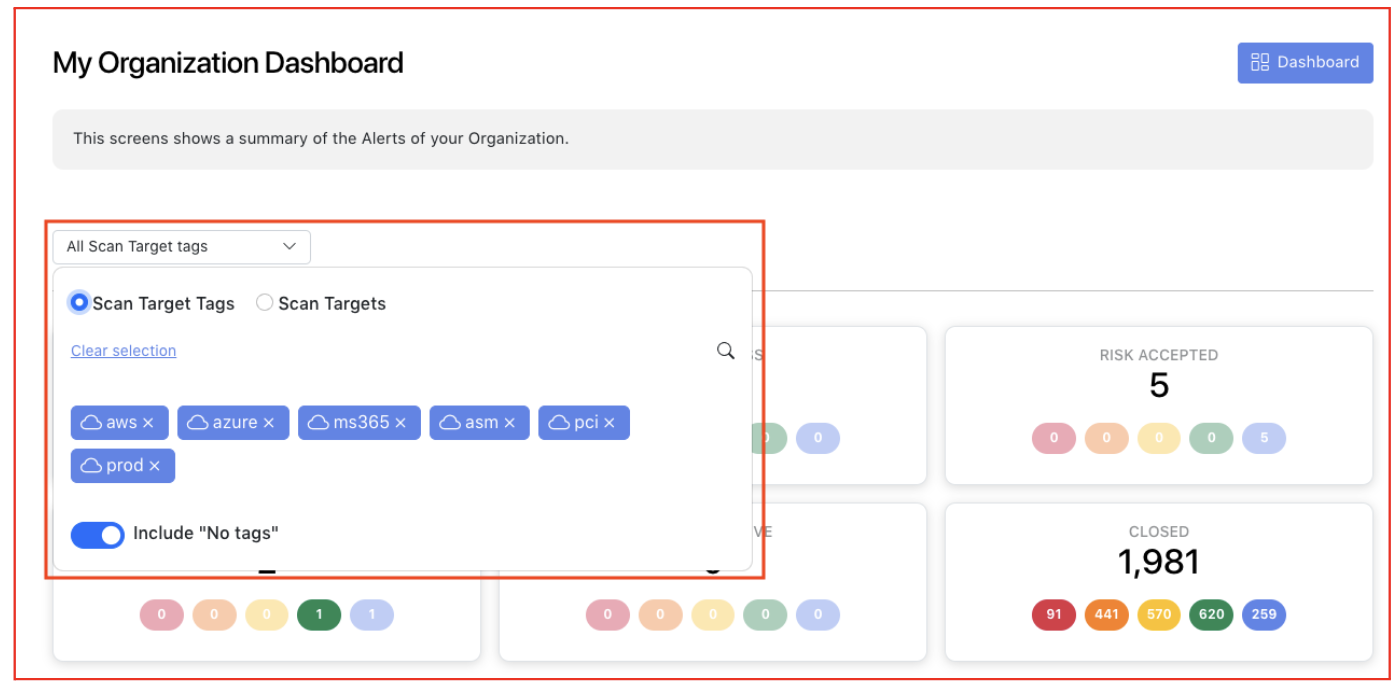
My Organization Alerts
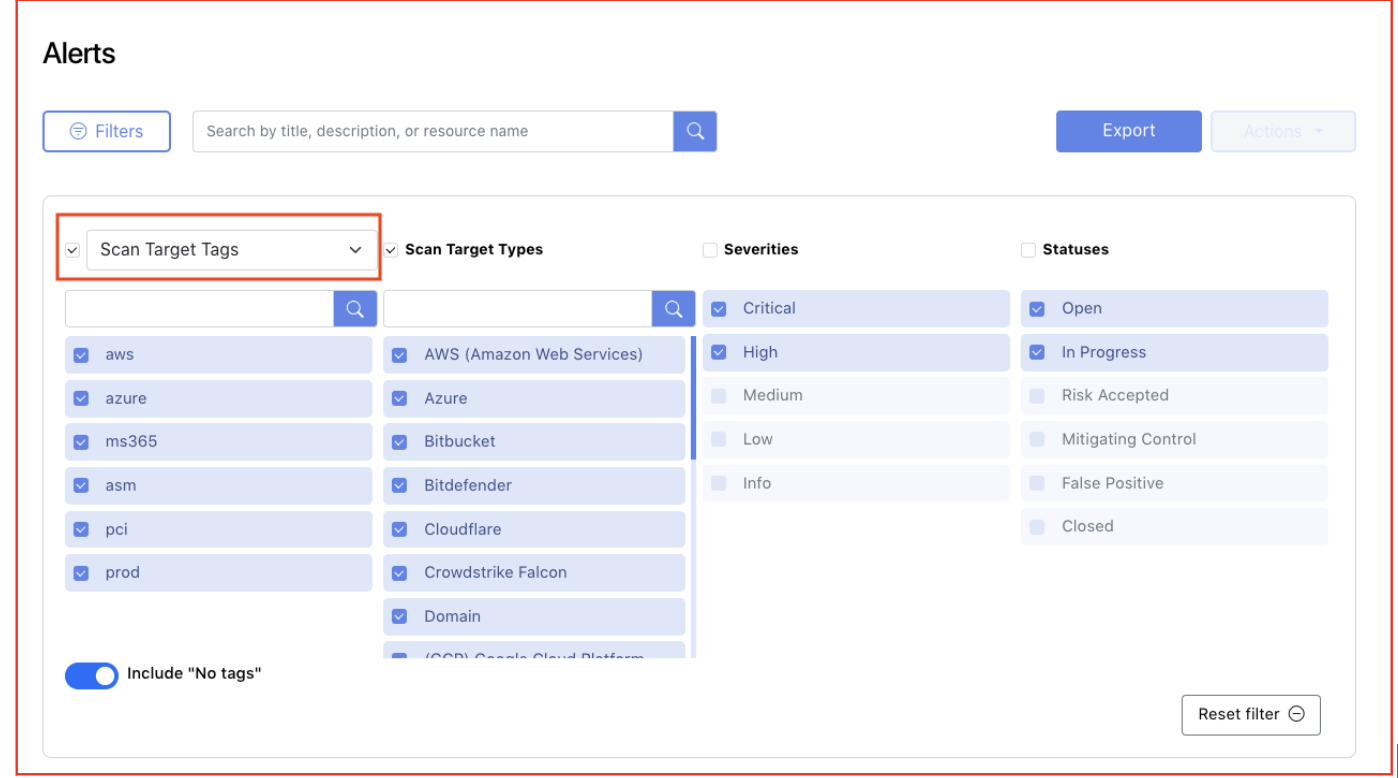
- Similarly, if you are monitoring your Following Organizations, you can now filter this dashboard by Following Organization Tags or Following Organization Names (up to 10 items).
- Following Alerts Dashboard
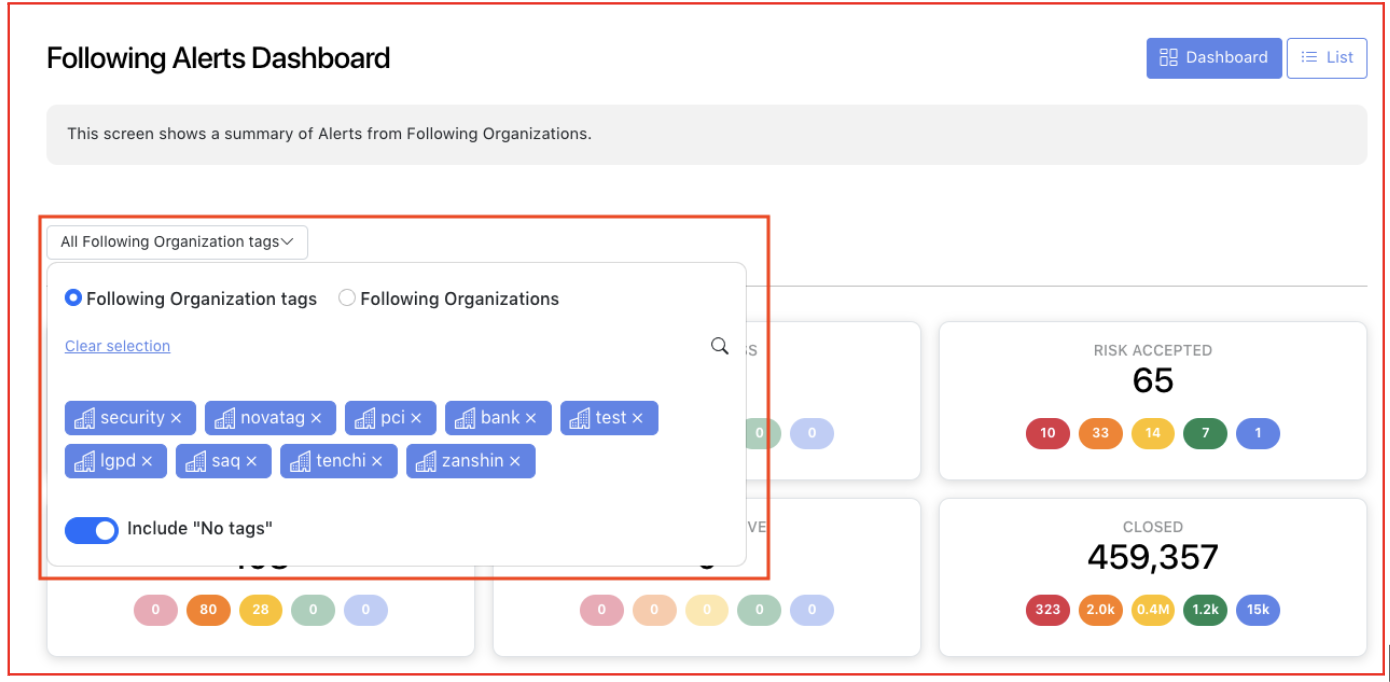
Following Organization Alerts
Zanshin Rule detection improvements
We have introduced an enhancement in the "IP Address with bad reputation detected" Rule, in order to help identify potential threats and take proactive measures to protect the network and systems from malicious activities. As a result, new alerts may be triggered based on this enhanced detection capability.
Navigation to Alerts is now restored
We want to inform you that the Navigation to Alerts, which was previously impacted by an issue reported in January, has now been fully restored. You can once again drill-down seamlessly to the ‘Alerts List’ from Compliance KPIs and Dashboards, with preset filters applied for a more efficient experience.