Zanshin's New Features  | February 2026


Zanshin's New Features |
September 2,  2025

Details of the new features!

1. New Following Dashboard

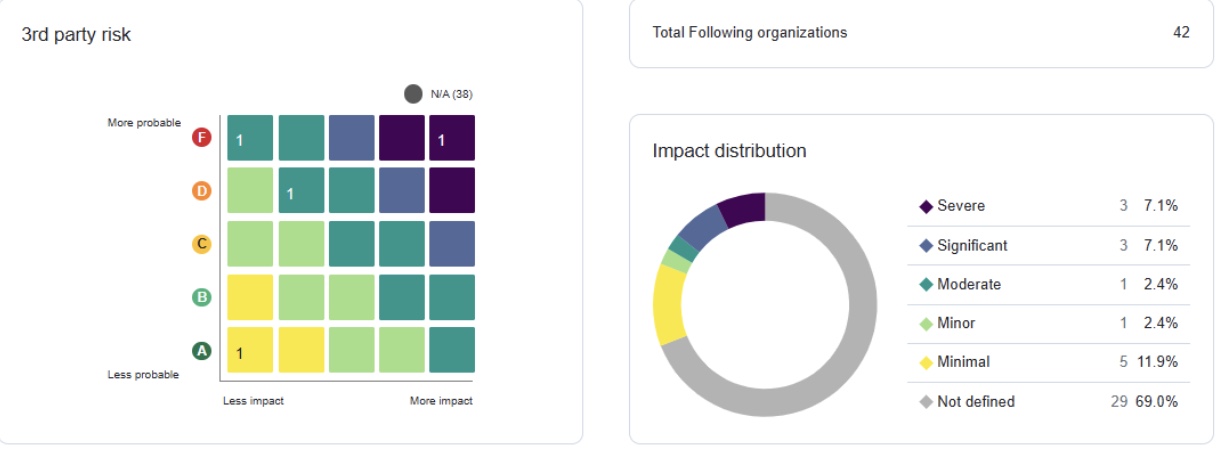
CISOs and executives now have an aggregated, high-level view of third-party risk across all monitored vendors. Instantly assess portfolio health, prioritize critical actions, and efficiently report risk posture to stakeholders.

Go to the “FOLLOWING” section and select “Dashboard” from the left-hand menu.


The following elements are presented on this screen:

  • The “3rd party risk chart (Risk Matrix)” is based on two primary dimensions: Business Impact and Probable/Likelihood determined by the measured score. Each quadrant displays the number of third parties within that specific score/impact level. 
  • A “Impact distribution” doughnut chart that shows the count and percentage of following organizations falling into each of business impact levels.
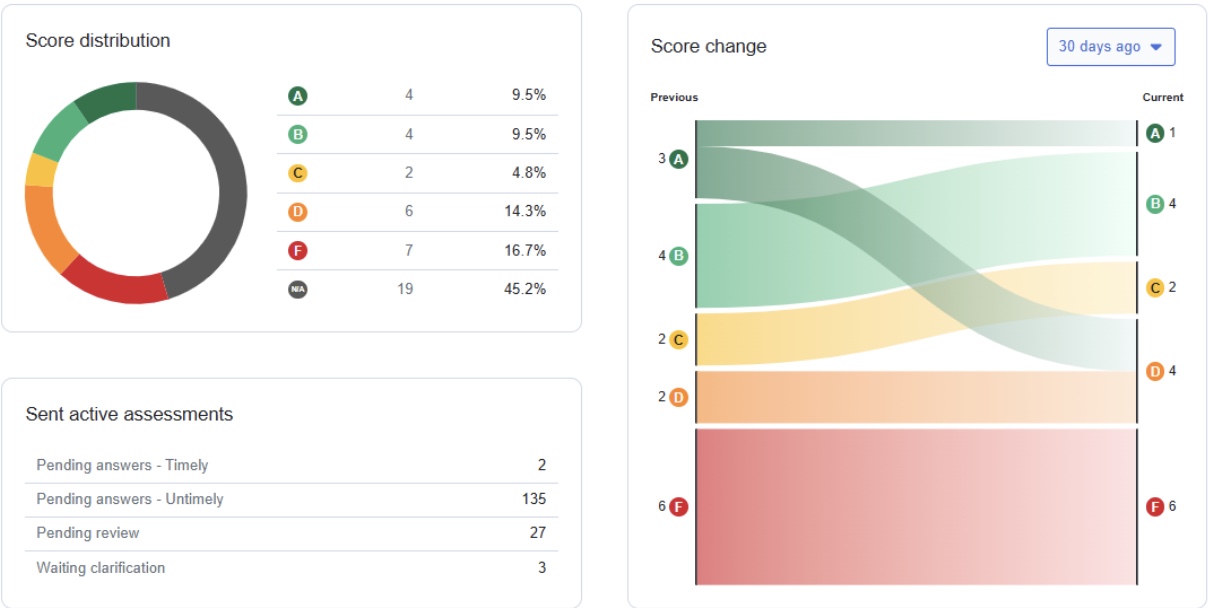
  • A “Score distribution” doughnut chart that shows the count and percentage of following organizations falling into each of the score grades.
  • A “Score change” Sankey Diagram that shows the change in score grades for the organizations being followed over a period.

The “Sent active assessments” summary that shows the assessments sent to “Following Organizations”, categorized by status.


2. AI Summary for SAQ

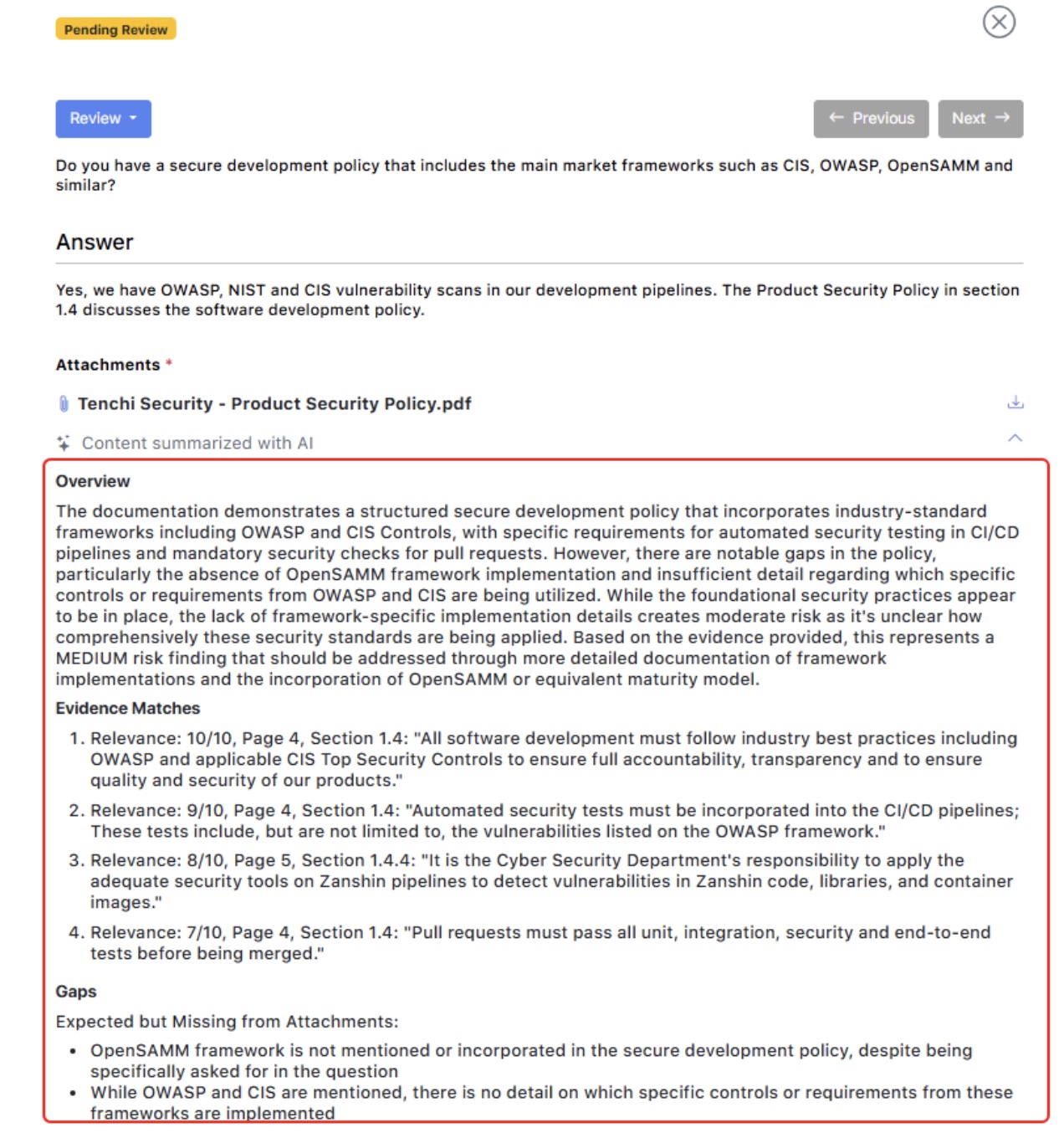
This capability empowers reviewers and expedites the assessment process, significantly reducing the manual effort required for third-party document analysis.

a. Go to the “FOLLOWING” section and select “Assessments” from the left-hand menu.

b. Identify the assessments that are in a pending review status.

c. When reviewing a question that includes or requires an attachment, click Summarize with AI.

d. The feature performs a deep evidence analysis by pinpointing relevant matches within your files and identifying specific documentation gaps to ensure all requirements are met.


3. New Scan Target Types

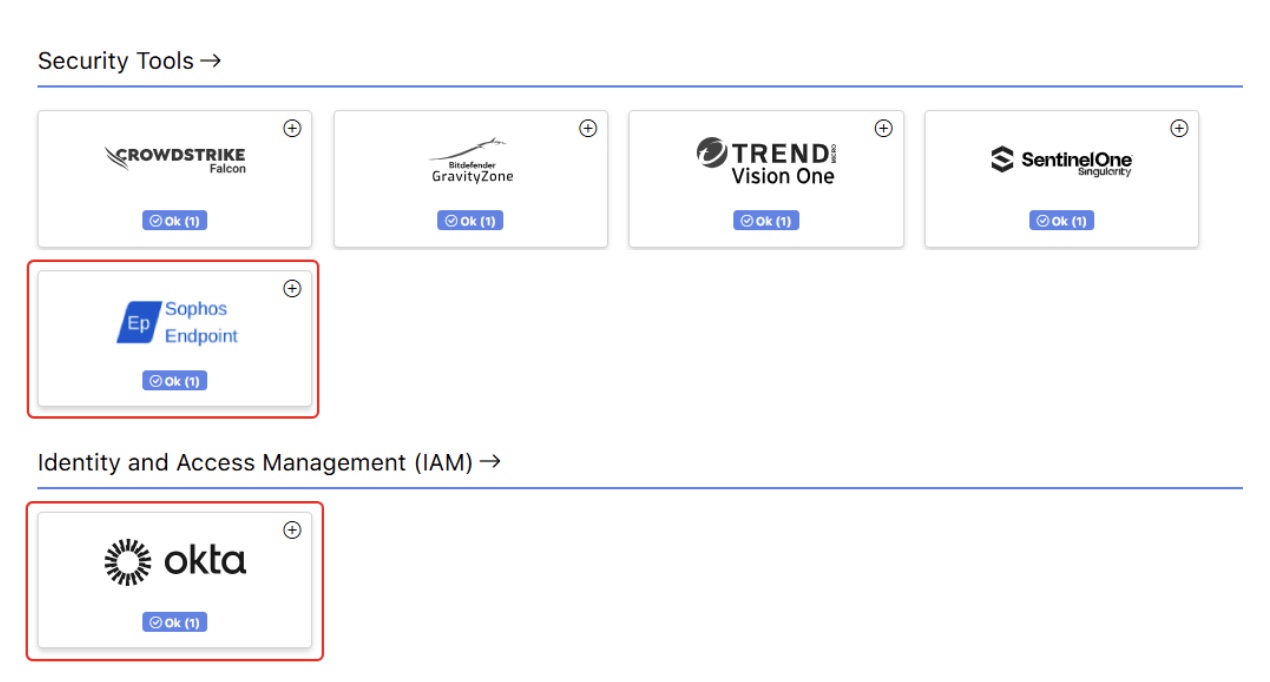
Added support for Okta and Sophos Endpoint, expanding the range of platforms and services Zanshin can continuously monitor.

Check the “Identity and Access Management (IAM)” section in the Scan Targets Dashboard page for the “Okta Workforce Identity” box and the “Security Tools” section for the “Sophos Endpoint” box.

As usual, Zanshin will scan these platforms without ever having access to your sensitive data, such as your organization’s databases data or credentials. We simply ask for the minimal set of permissions to review security-relevant settings, to ensure you stay as safe as possible.


4. Enhanced Compliance Reporting

Zanshin now supports compliance reporting against PCI DSS v4.0.1 for your organization and for the organizations you are following, helping you meet the latest industry standards.

  1. In the “MY ORGANIZATION” or “FOLLOWING” sections, select “Compliance” from the left-hand menu.
  2. The compliance dashboard will open, displaying the available frameworks. Selecting PCI DSS allows you to navigate through its specific compliance requirements.

5. Third-party Public Score

Organizations can quickly assess third-party baseline security posture and better prioritize monitoring, due diligence, and engagement. This eliminates a gap in risk evaluation, particularly during early-stage monitoring, where only public data is available.

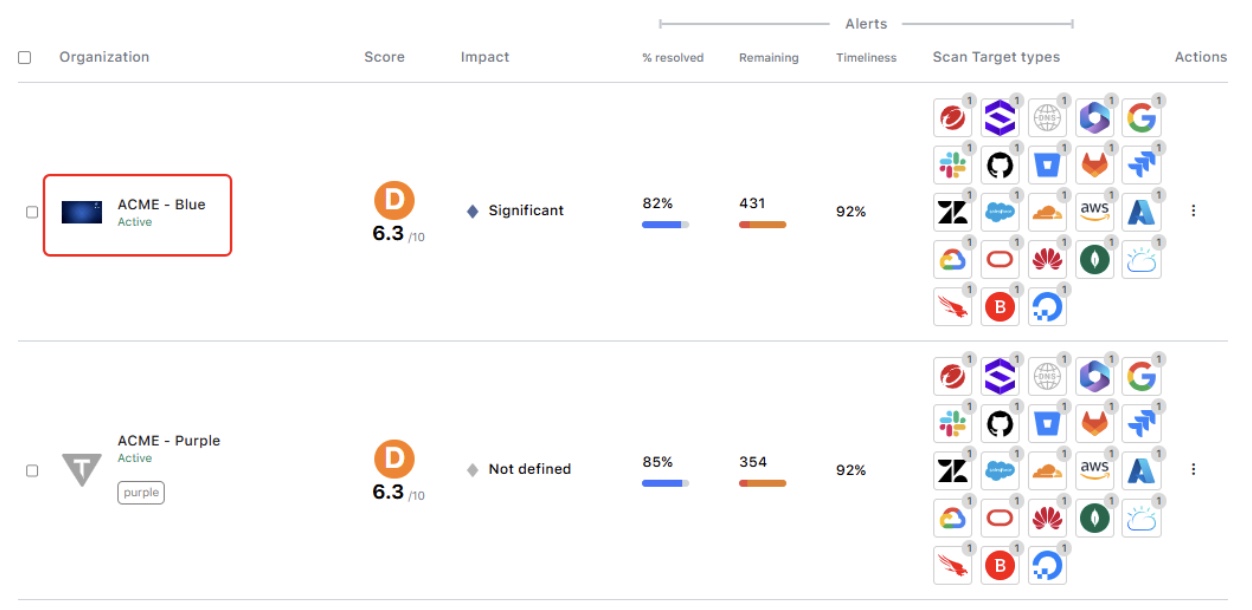
a. In the “FOLLOWING” section, select “Organizations” from the left-hand menu.

b. In the “Following Organizations List”, click on the following organization you want to view its details, as shown below.

c. In the organization’s details page click in the “Dashboard” tab, as shown below. Two charts are displayed showing:

  • The historical following organization score considering all their scan targets.
  • The historical following organization score considering their public scan targets only.