Lorem Ipsum
Zanshin's Updates | October, 2025
Zanshin's New Features |
October, 2025

This concept enhances access management by allowing organizations to assign specific roles with predefined permissions to users. This ensures that users only have access to relevant sections in Zanshin, reducing security risks and improving operational efficiency.
To access this feature:
1. Go to the “MY ORGANIZATION” section and select “Members” from the left-hand menu.
2. Click on the “Roles” tab.
3. Here you can see the roles you created and the predefined roles (labeled in blue) that come with Zanshin.
Please see a sample:
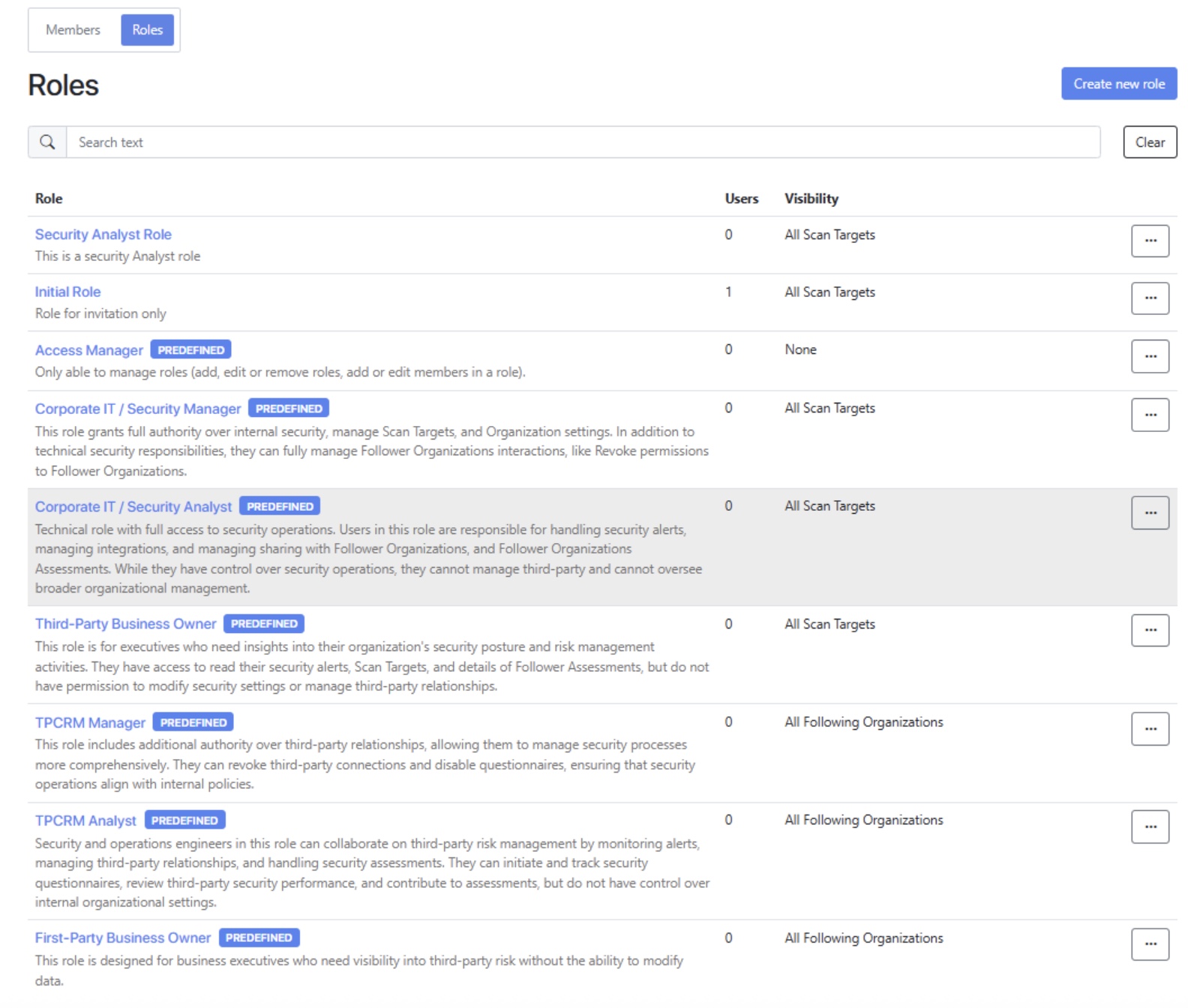
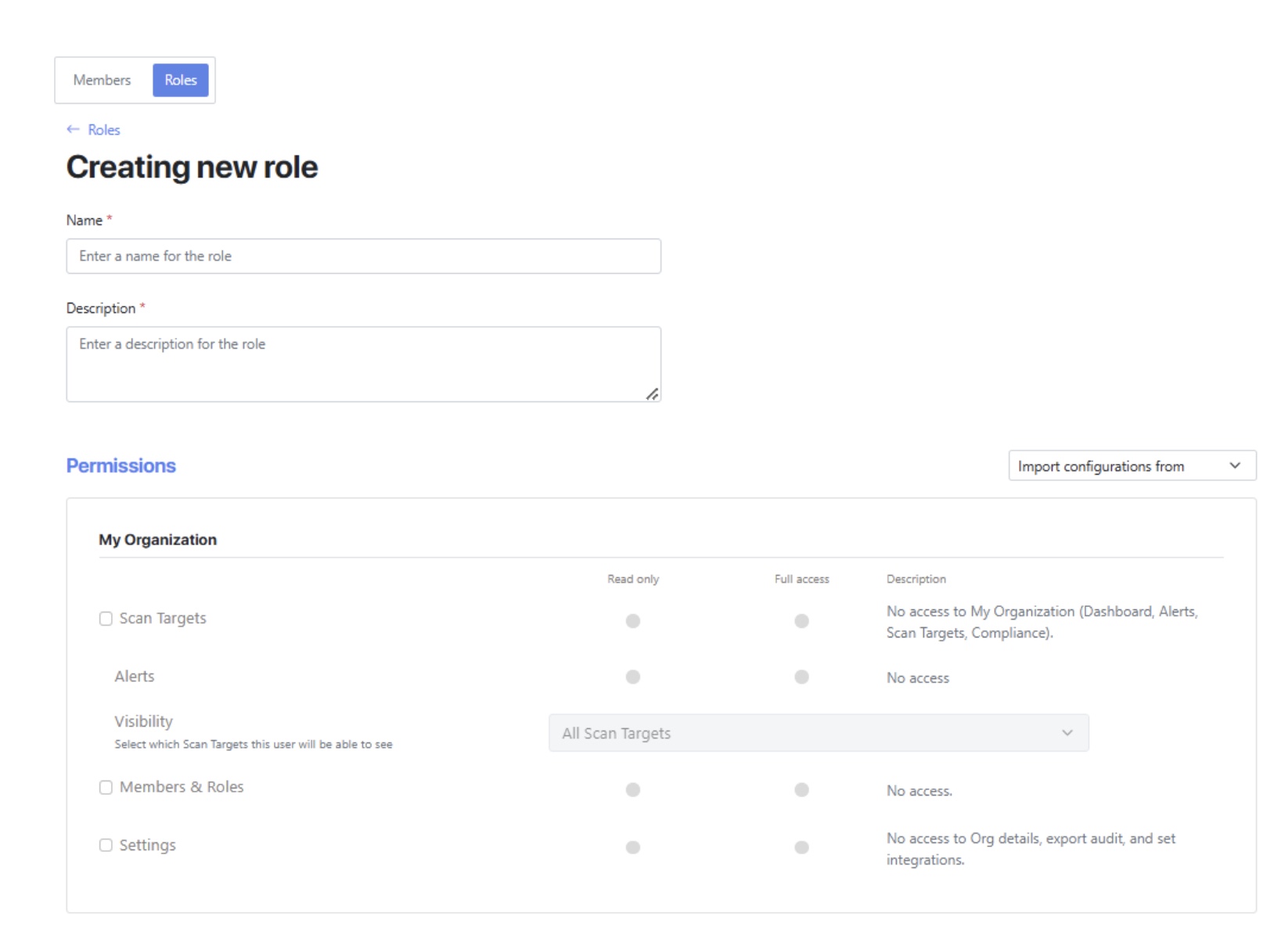
Customized roles can be created by assigning the required permissions and users to them, aligning with your specific business needs.
Lorem Ipsum
Added support for SentinelOne Singularity and Microsoft Intune (under Microsoft 365), expanding the platforms and services Zanshin can continuously monitor.
Check the “SaaS” section in the Scan Targets Dashboard page for the “Microsoft 365” box and the “Security Tools” section for the “SentinelOne Singularity” box.
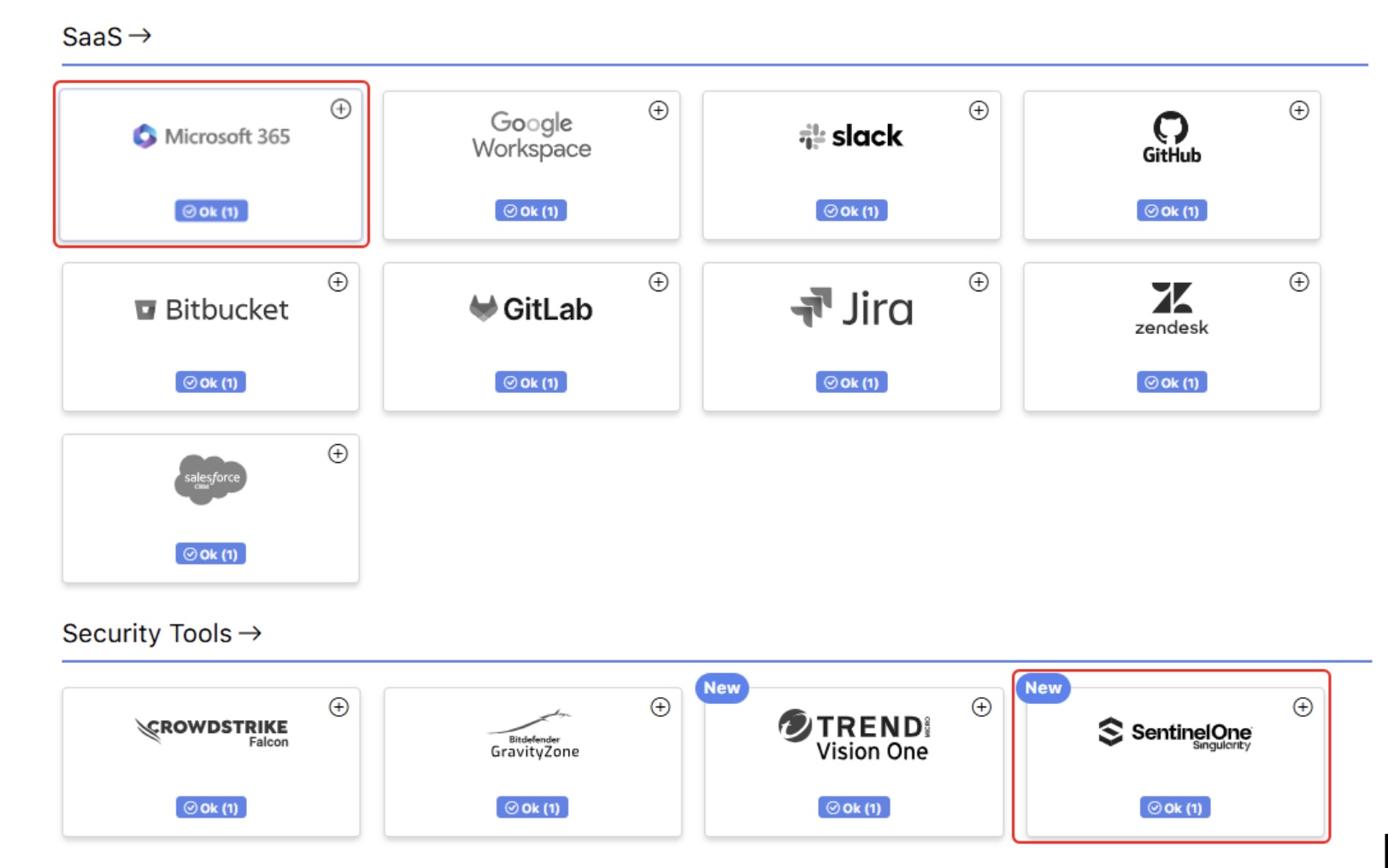
As usual, Zanshin will scan these platforms without ever having access to your sensitive data, such as your organization’s databases data or credentials. We simply ask for the minimal set of permissions to review security-relevant settings, to ensure you stay as safe as possible.
Note: Current Microsoft 365 customers being monitored by Zanshin could experience an impact on their organization score if they use Microsoft Intune.
Lorem Ipsum
This feature allows first-party users (typically TPCRM Managers) to assign a Business Impact level to each of their third-parties. The assigned impact level reflects how critical a third party is to the organization's operations and helps prioritize risk management activities. Business impact values can be set individually or in bulk, and can be used as filters across key views such as the Following Organizations List and 1st Party Portfolio Management Dashboard.
In the “FOLLOWING” section, select “Organizations” from the left-hand menu.
The Following Organizations List will appear.
Check each following organization and choose the desired Business Impact level to set from the dropdown menu above it.
See the sample below:
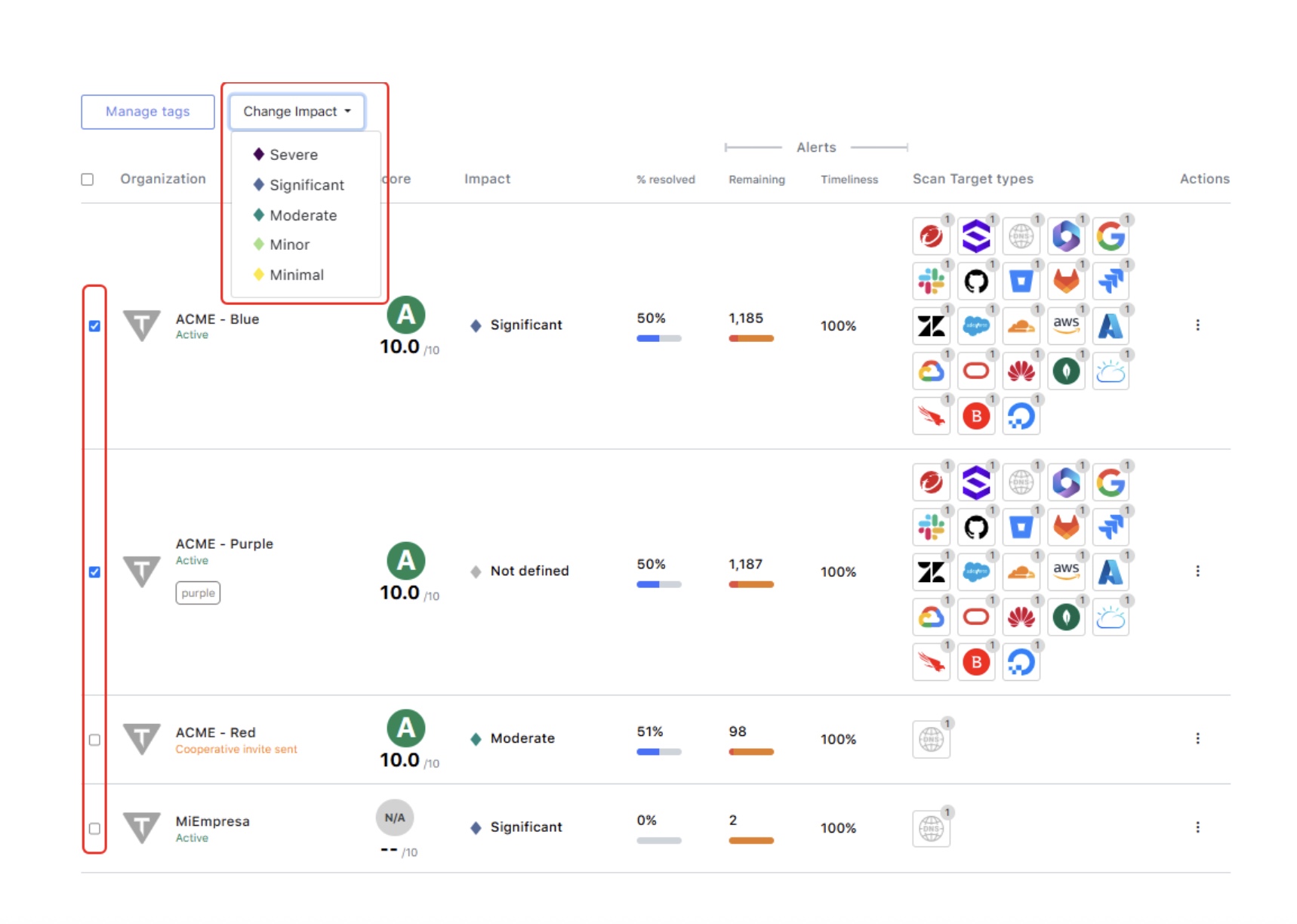
This classification will also be available during onboarding (Pre-Contract Due Diligence), on the Following Organization profile, and within the Following Organizations List for easy management and visibility.
Lorem Ipsum
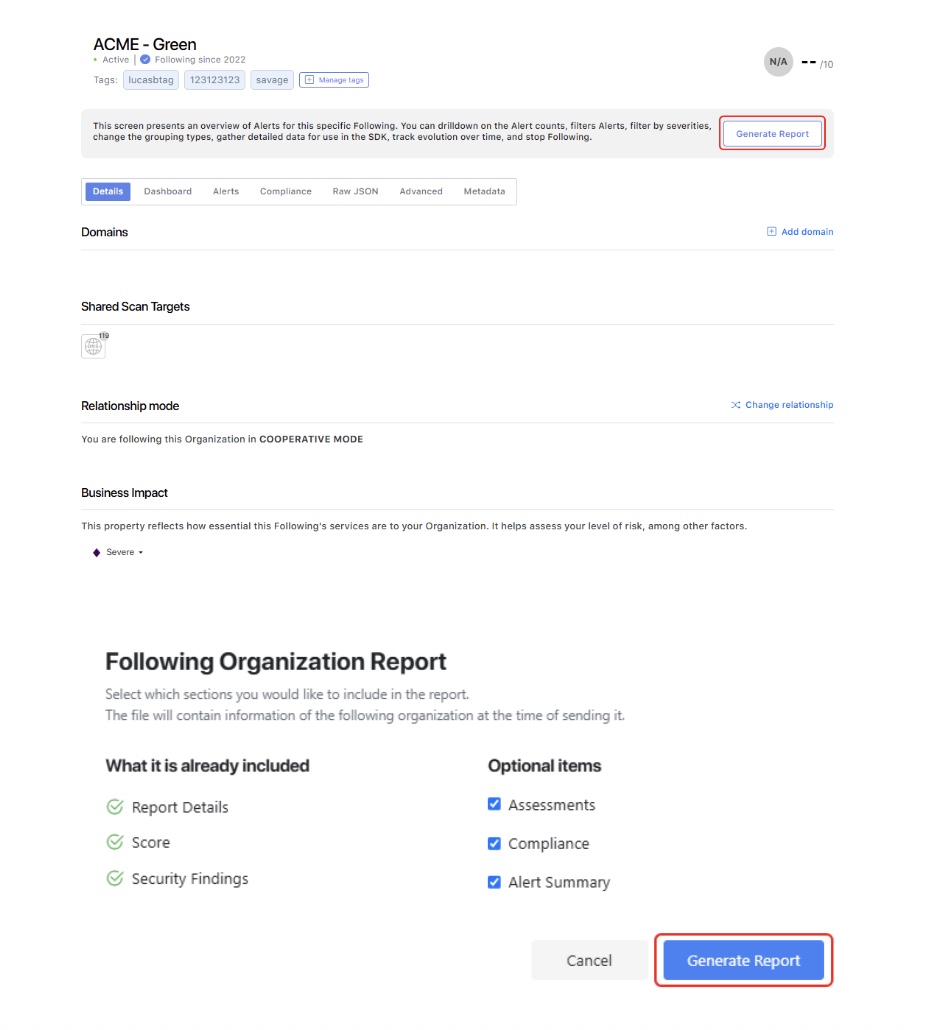
For third-party reports, go to the “FOLLOWING” section, and click on “Organizations”. In the Following Organizations List, select the one to generate the report for by clicking on it. Click on the “Generate Report” button and select the appropriate options.
Here is a sample:
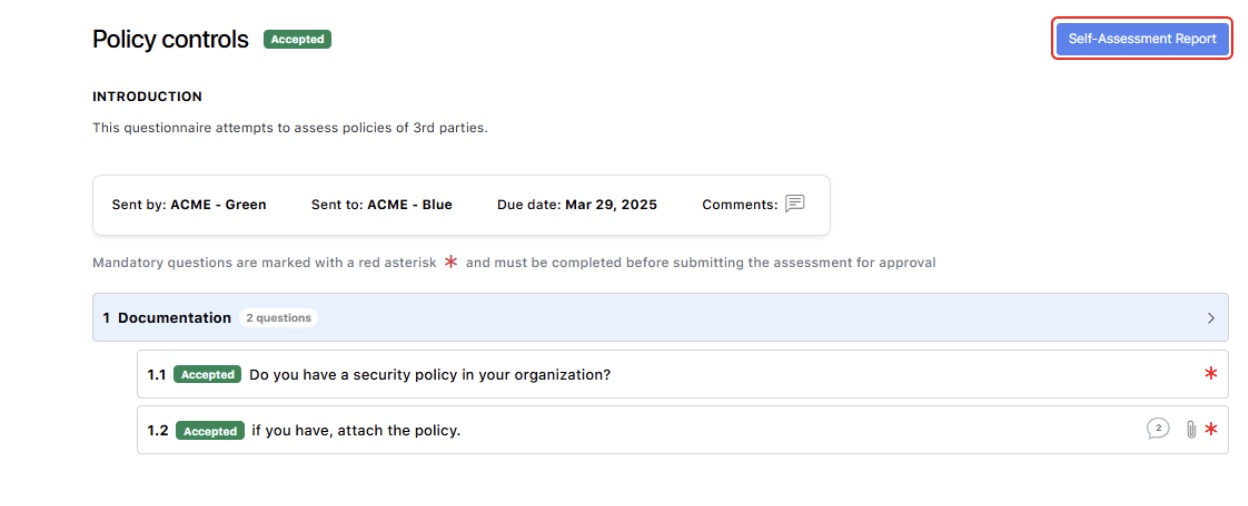
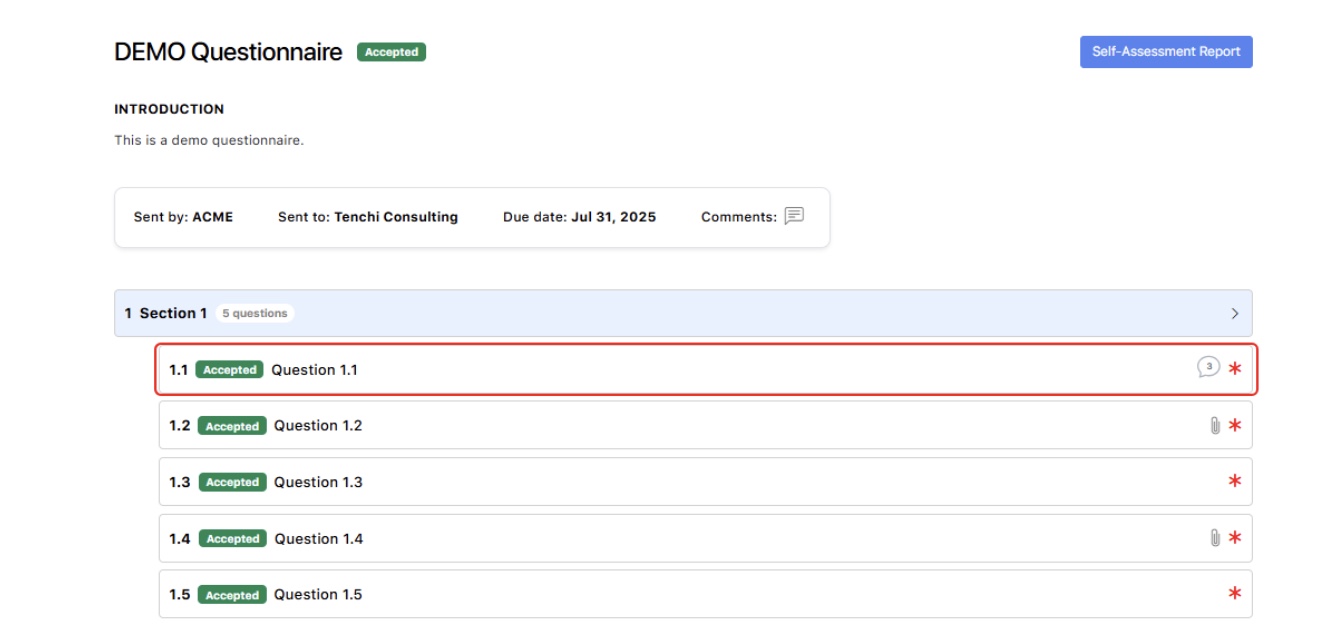
For self-assessment reports, go to the “FOLLOWERS” or “FOLLOWING” section and click on “Assessments”. Click on the questionnaire you want to generate the report for, and click on the “Self-Assessment Report” button that should appear.
Here is a sample:
Lorem Ipsum
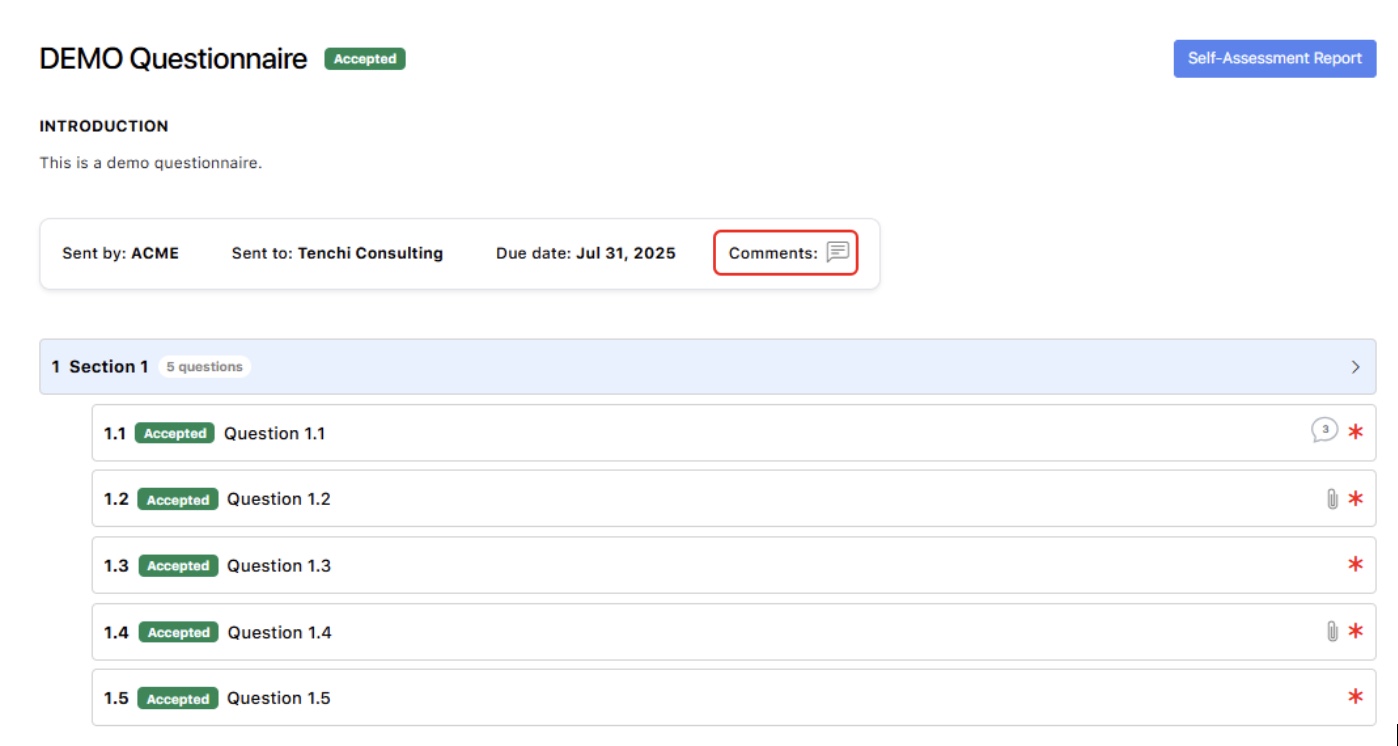
This feature allows users to view the complete historical information for an assessment, including detailed information for each question (such as the answers and comments provided), any associated comments for the questionnaire, the users that provided information, and the history of status changes. It aims to enhance transparency and traceability within assessments and the interaction between organizations (1st party and 3rd parties).
Questionnaire level historical information sample:
Go to the “FOLLOWERS” or “FOLLOWING” section and click on “Assessments”. Click on the questionnaire to check the historical information, and click on the “Comments” icon.
Toggle "See history" on.
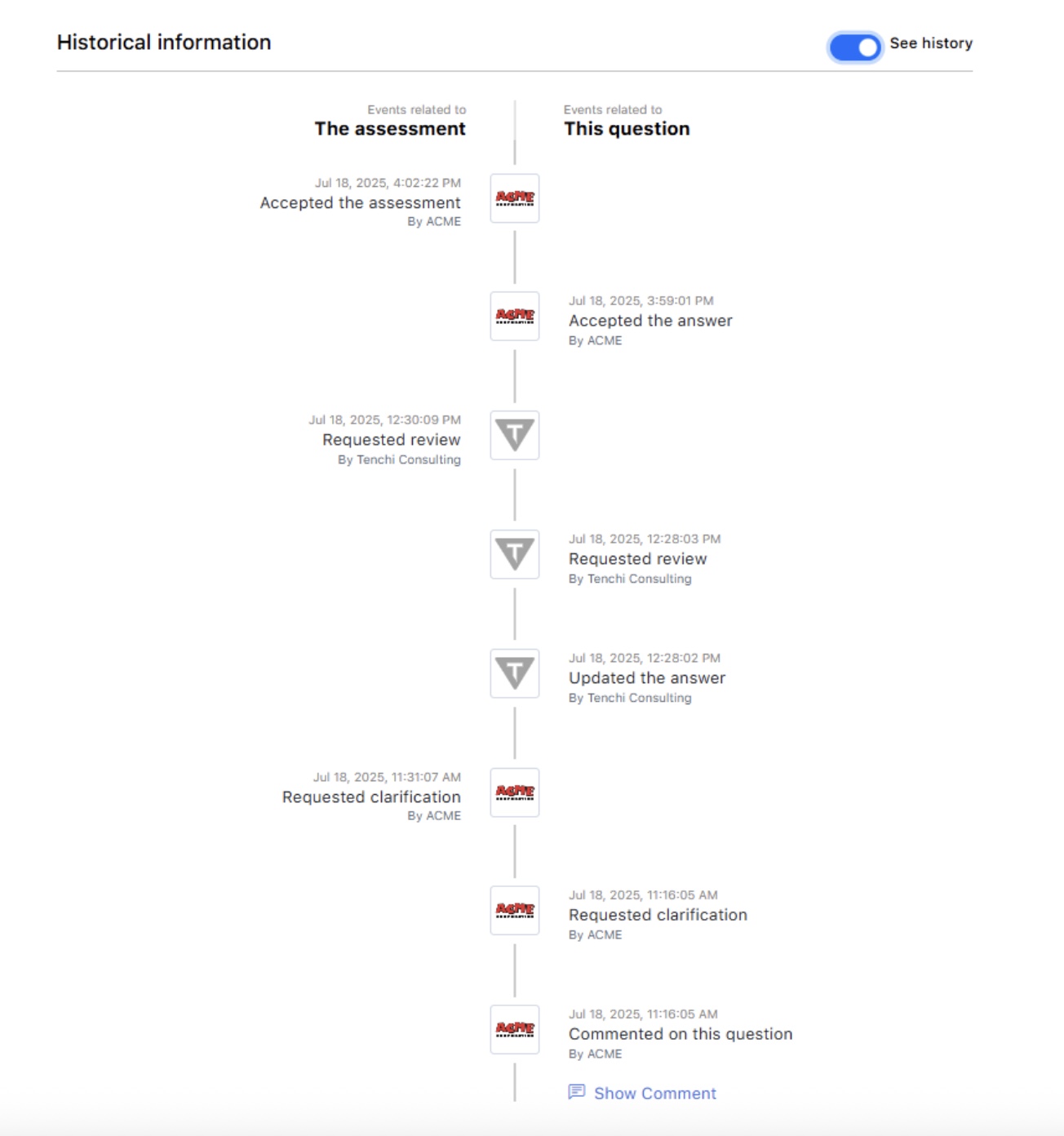
Question level historical information sample:
Go to the “FOLLOWERS” or “FOLLOWING” section and click on “Assessments”. Click on the questionnaire to check the historical information, and click on the desired question.
Our Customer Success team is always ready to assist you in case you have any questions.
For third-party reports, go to the “FOLLOWING” section, and click on “Organizations”. In the Following Organizations List, select the one to generate the report for by clicking on it. Click on the “Generate Report” button and select the appropriate options.
Here is a sample:
This feature allows users to view the complete historical information for an assessment, including detailed information for each question (such as the answers and comments provided), any associated comments for the questionnaire, the users that provided information, and the history of status changes. It aims to enhance transparency and traceability within assessments and the interaction between organizations (1st party and 3rd parties).
Questionnaire level historical information sample:
Go to the “FOLLOWERS” or “FOLLOWING” section and click on “Assessments”. Click on the questionnaire to check the historical information, and click on the “Comments” icon.
Lorem Ipsum
This classification will also be available during onboarding (Pre-Contract Due Diligence), on the Following Organization profile, and within the Following Organizations List for easy management and visibility.