Zanshin's New Features  | September 2026


Zanshin's New Features |
September 2,  2025

Details of the new features!

1. SAQ Grading and Review

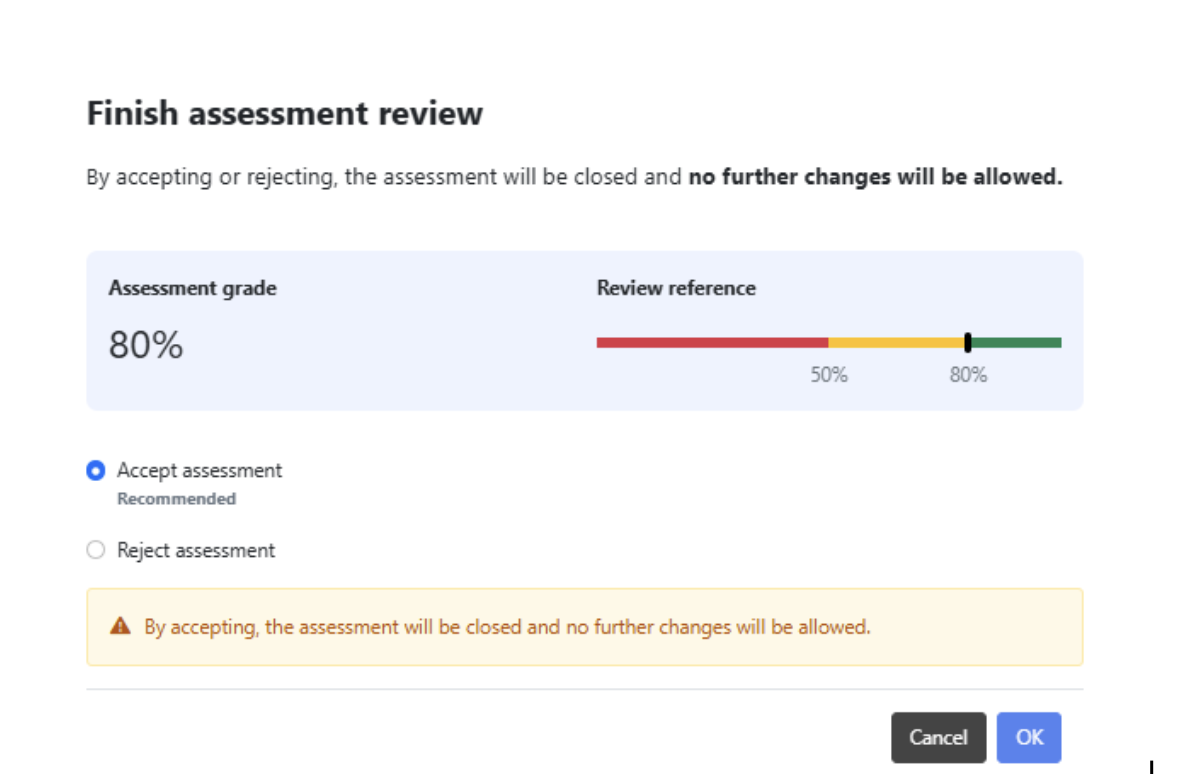
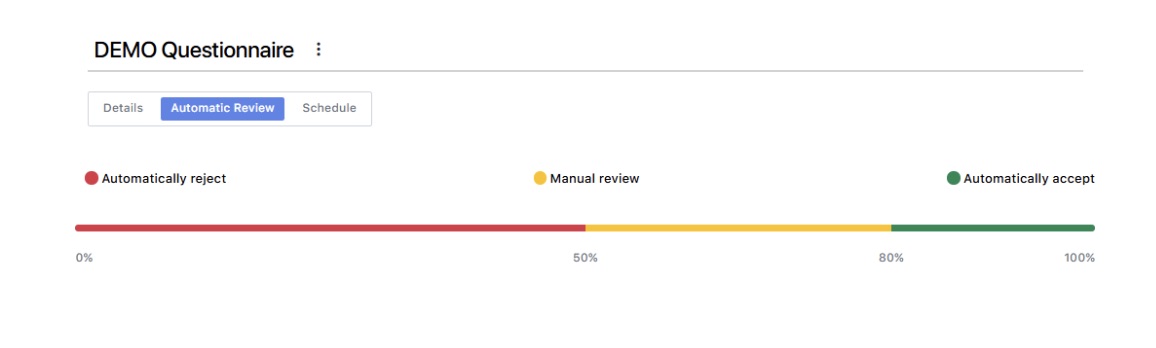
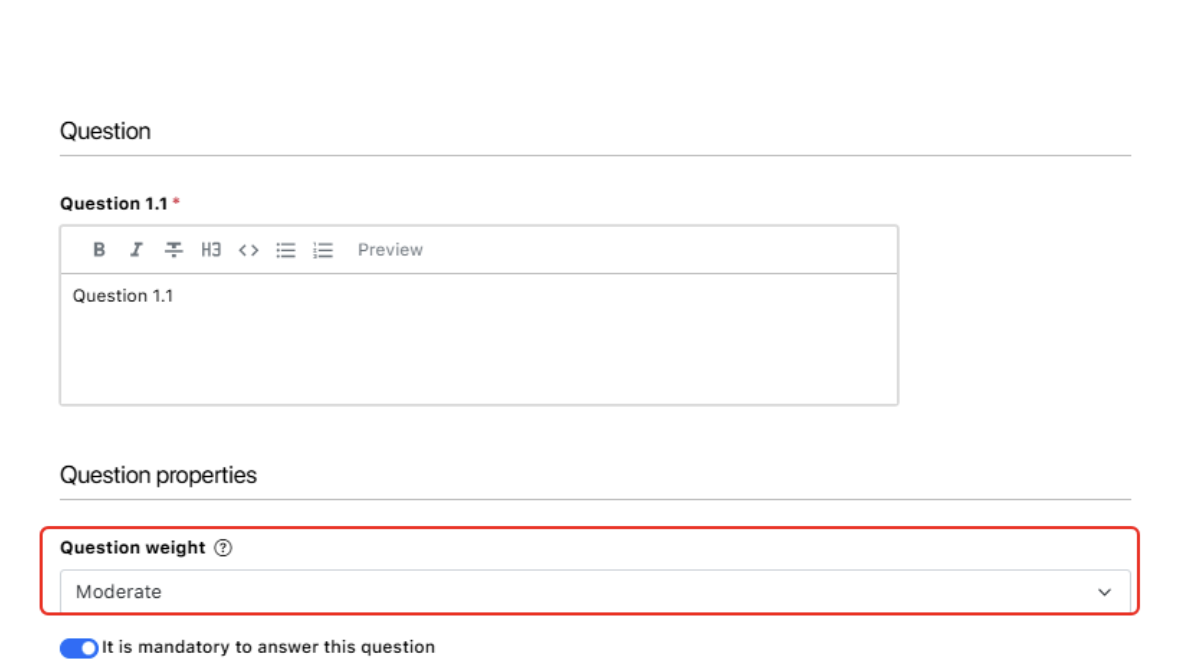
You can now assign specific weights - ranging from Informational to Critical - to individual questions, alongside assigning precise point values to specific answers within your Self-Assessment Questionnaires (SAQs). By doing so, Zanshin takes over the heavy lifting to automatically calculate a final, mathematically sound Assessment Grade. To make this even more powerful, you can set smart approval criteria. This allows the system to instantly evaluate incoming questionnaires against your acceptable risk thresholds and automatically recommend whether to Accept, Reject, or Request Clarification.

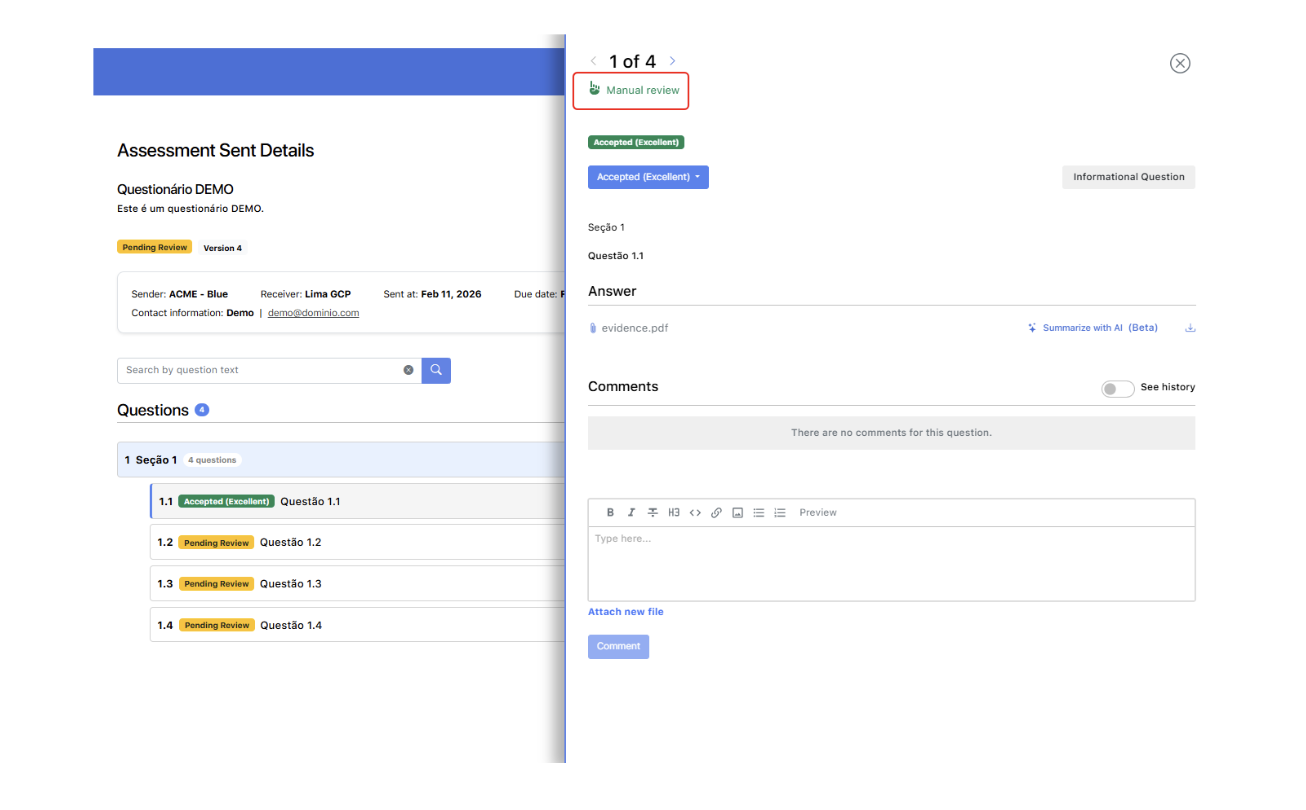
We have also completely redesigned the reviewer experience. You will find a new, highly intuitive review interface featuring a quick-navigation side panel that keeps all necessary context in one view and auto-advances to the next item, significantly speeding up the evaluation process. Of course, the human element remains vital: reviewers always retain flexible evaluation power to overrule the system's automated recommendations or manually refresh grades on-demand as answers change. Finally, our new partial grading system clearly identifies which complex answers - such as free-text paragraphs or uploaded evidence files- cannot be auto-scored and strictly require human review before a final grade is issued.

Go to the “FOLLOWING” section and select “Questionnaires” on the left-hand menu. Edit a questionnaire you own or create a new one and try the new features.

Here are some screenshots from Zanshin highlighting the new capabilities.
Go to the “FOLLOWING” section and select “Assessments” on the left-hand menu. Open an assessment you just sent that is ready to be reviewed.

Here are some screenshots from Zanshin highlighting the new capabilities.
2. Zanshin Notifications

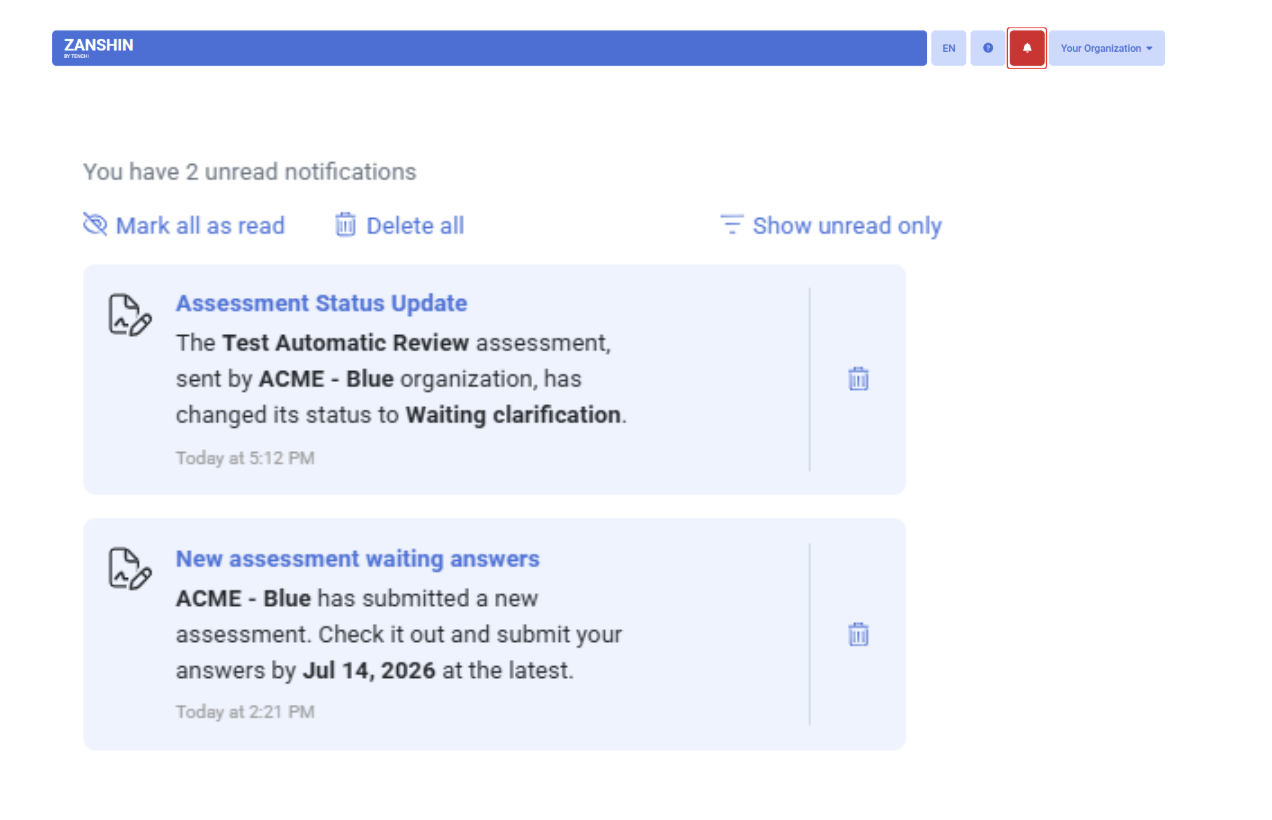
We are also introducing a centralized, secure communication hub. A new "bell" icon located at the top right of your screen provides an in-platform Notification Center, instantly delivering critical alerts and pending actions directly to you in your preferred platform language. Instead of static text, these action-oriented, clickable notifications act as direct shortcuts, taking you exactly to the specific feature or pending task that requires your immediate attention. To ensure absolute relevance, your notification feed is dynamically tailored to your currently selected Organization and strictly respects your specific Role-Based Access Control (RBAC) permissions, so you only see the alerts that actually matter to your specific role.

To help you keep your workspace organized and prioritize your tasks, unread alerts feature a clear visual cue and remain visible for 30 days, while successfully read notifications are neatly retained for 7 days before being cleared.

Here are some screenshots from the Zanshin Notifications feature.

3. Enhanced Third-Party Reports

We have significantly upgraded our Third-Party Reports to provide you with richer, more actionable insights in a highly polished format. To better support our regional users, you can now generate your reports fully in Portuguese. This eliminates language barriers, making it significantly easier and faster to share critical risk insights and findings directly with your local stakeholders and vendors.

Furthermore, we have added a dedicated "Missing Scan Targets" section to the report. This highly visible addition explicitly highlights any relevant environments or scan targets that a third party is currently failing to monitor, immediately exposing critical visibility gaps in your digital supply chain. Your reports also now dynamically support and display key global industry standards, officially adding both ISO 27001 and PCI DSS to the compliance overview so you can easily track vendor adherence.

Finally, we have refined the overall report layout for enhanced clarity and data accuracy. These structural enhancements include adding the exact Date & Time of generation for better version control, updating the default file naming convention for easier file organization, and clarifying the scoring terminology so that it accurately reflects the First Party's specific view of the risk.

4. Organization Profile

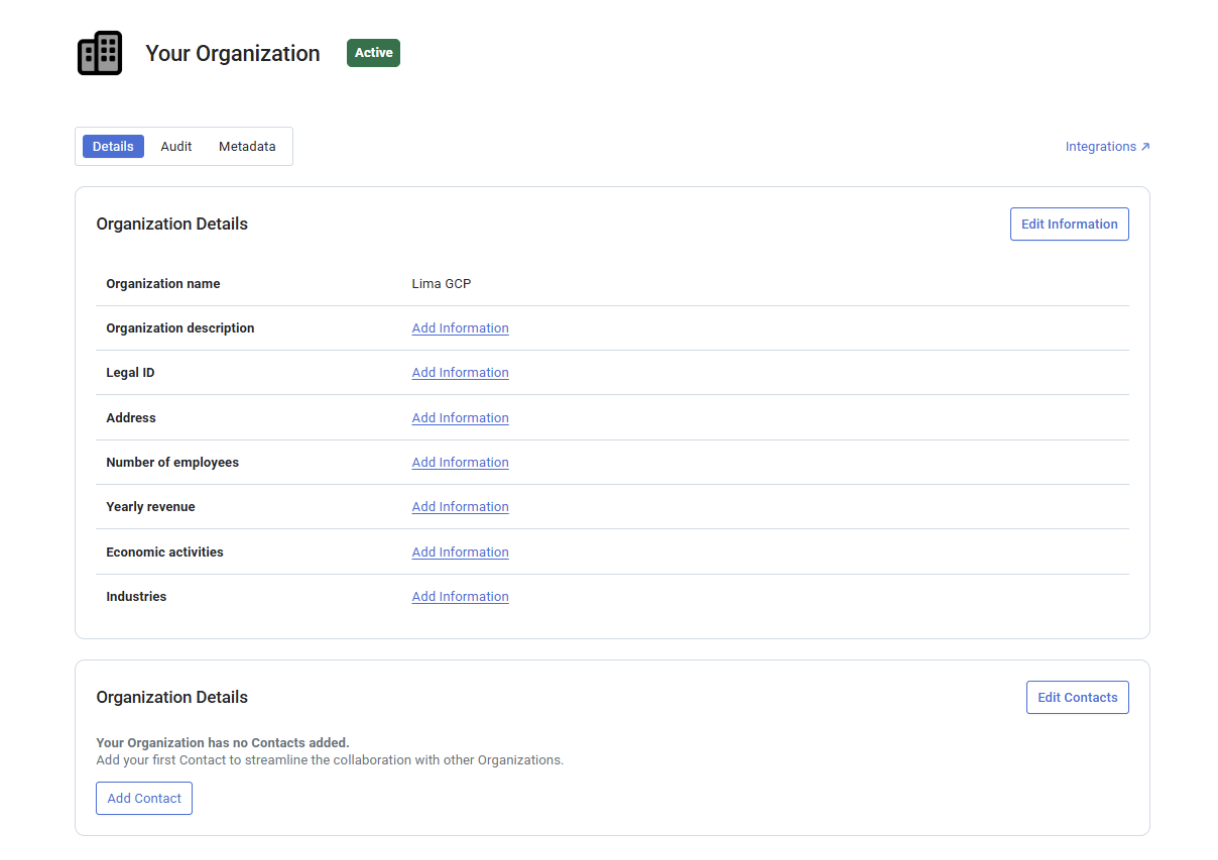
We have upgraded the “Settings” menu to a new, comprehensive “Profile” hub where you can fully manage your organization's structured identity. You can now record vital firmographic data directly within Zanshin, including multiple Legal IDs, exact employee counts, yearly revenue, and NAICS-based industry classifications. To make data entry as seamless as possible, we have also incorporated smart, map-based autocomplete for your address and automated suggestions for your industry codes.

Additionally, we have significantly expanded our contact management capabilities. Moving beyond a single generic contact email, you can now add and manage multiple specific points of contact categorized by department—such as Security, Compliance, or Legal—complete with individual names, emails, and phone numbers.

Go to the “MY ORGANIZATION” section and select “Profile” on the left-hand menu and explore the new “Details” tab.

5. New Scan Target Type

Added support for “Zoom Workplace“ expanding the range of platforms and services Zanshin can continuously monitor.

In the “Scan Targets Dashboard“ page, locate the “SaaS” section to find “Zoom Workplace”.

As usual, Zanshin will scan these platforms without ever having access to your sensitive data, such as your organization’s databases data or credentials. We simply ask for the minimal set of permissions to review security-relevant settings, to ensure you stay as safe as possible.

For more information, see: Zoom Workplace - Scan Target Registration.